To help prevent unauthorized access or use, the projector offers a password
security option. The password can be set through the On-Screen Display (OSD)
Menu.
Make note of your password, and keep it in a safe place.
Press to open the OSD Menu and go to: > and
press .
Highlight and select
by pressing / .
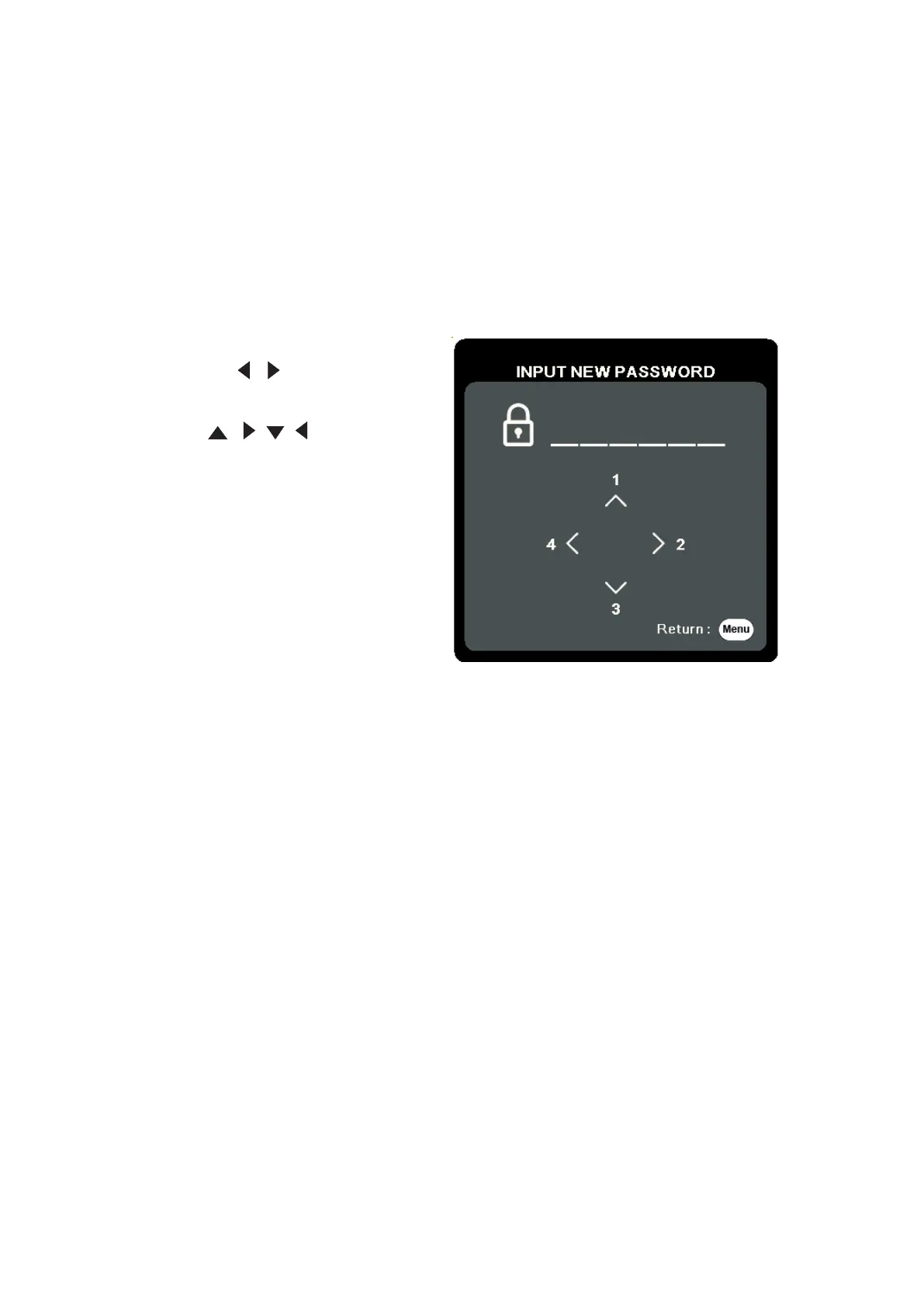
As pictured to the right, the four
arrow keys (
, , , ) represent
4 digits (1, 2, 3, 4). Press the arrow
keys to enter a six digit password.
Confirm the new password by re-entering the new password. Once the password
is set, the OSD Menu will return to the page.
Press to leave the OSD Menu.
Once set, the correct password must be entered every time the projector is
started.







 To Next Page