EasyManua.ls Logo

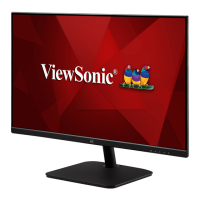
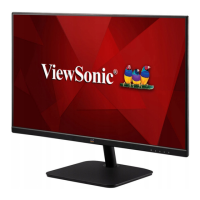
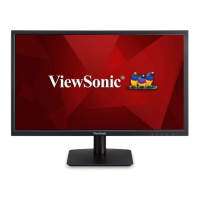
ViewSonic VA2430-h - User Manual

ViewSonic VA2430-h
45 pages
Print Icon
To Next Page IconTo Next Page
Loading...
VA2430-h
Display
User Guide
Model No. VS17789
P/N: VA2430-H-5 / VA2430-H-6 / VA2430-H-W-6
IMPORTANT: Please read this User Guide to obtain important information on installing and using your product in
a safe manner, as well as registering your product for future service. Warranty information contained in this User
Guide will describe your limited coverage from ViewSonic® Corporation, which is also found on our web site at
http://www.viewsonic.com in English, or in specific languages using the Regional selection box in the upper right
corner of our website. “Antes de operar su equipo lea cu idadosamente las instrucciones en este manual”

Questions and Answers

  • V
    Vanessa OliverSep 3, 2025
    Why are the colors on my ViewSonic VA2430-h Monitor wrong?
    • T
      Thomas PowellSep 3, 2025
      If the colors on your ViewSonic monitor appear wrong or abnormal, and any colors (red, green, or blue) are missing, check the video cable to ensure it is properly and securely connected. Loose or broken pins in the cable connector could cause an improper connection. You can also connect the monitor to another computer. If you have an older graphics card, contact ViewSonic® for a non-DDC adapter.
  • B
    Brittany HoltAug 25, 2025
    What to do if power is on, but no image appears on my ViewSonic VA2430-h screen?
    • P
      Peter ChurchAug 25, 2025
      Check that the video cable connecting your monitor to the computer is securely connected. Try adjusting the brightness and contrast settings. Also, verify that the correct input source is selected.
  • C
    Courtney GreenAug 25, 2025
    Why is my ViewSonic VA2430-h Monitor screen image too light or dark?
    • F
      fosteradamAug 26, 2025
      Adjust the brightness and contrast settings using the OSD Menu. If that doesn't work, try resetting the monitor to its factory settings.
  • N
    Nicholas TuckerSep 10, 2025
    What to do if there is no audio output from my ViewSonic Monitor?
    • T
      Travis CoxSep 10, 2025
      If you're using headphones, be sure the mini stereo jack is properly connected. Make sure the volume isn't muted or set to 0. Check the Audio Input setting as well.
  • M
    martinnovakSep 16, 2025
    Why don't USB devices work when connected to my ViewSonic Monitor?
    • L
      Lawrence SmithSep 17, 2025
      If USB devices aren't working when connected to your ViewSonic monitor, ensure the USB cable is connected properly. Try using a different USB port if available. Note that some USB devices might need more power, so try connecting them directly to the computer.
  • C
    Christopher OsborneSep 7, 2025
    How to fix blurred screen image on ViewSonic VA2430-h?
    • M
      Michelle SmithSep 7, 2025
      If the screen image on your ViewSonic monitor is blurred, adjust the resolution to the correct Aspect Ratio. Alternatively, reset the monitor to factory settings.
  • J
    Jennifer DavisAug 31, 2025
    Why are the colors wrong or abnormal on my ViewSonic VA2430-h?
    • S
      sarah72Aug 31, 2025
      If any colors (red, green, or blue) are missing, check the video cable to ensure it is properly and securely connected. You can also connect the monitor to another computer to test if the issue persists.
  • S
    Samuel MendozaSep 22, 2025
    What to do if the external device is connected, but no image appears on the screen of my ViewSonic Monitor?
    • V
      Vanessa DiazSep 22, 2025
      Ensure the monitor's power is on. Adjust brightness and contrast via the OSD Menu. Check the connecting cable and make sure it is properly and securely connected.
  • W
    Wendy ThomasSep 13, 2025
    How to fix a blurred screen on ViewSonic Monitor?
    • S
      Susan CarlsonSep 13, 2025
      If your ViewSonic monitor screen image is blurred, adjust the resolution to the correct Aspect Ratio. Alternatively, reset the monitor to factory settings.
  • C
    Cheryl LongAug 27, 2025
    How to adjust brightness on ViewSonic Monitor?
    • A
      Amanda JohnstonAug 28, 2025
      If the screen image on your ViewSonic monitor is too light or dark, adjust the brightness and contrast settings via the OSD Menu. You can also reset the monitor to factory settings.

ViewSonic VA2430-h Specifications

General IconGeneral
Screen Size24 inch
Panel TypeIPS
Refresh Rate60 Hz
Brightness250 cd/m²
Aspect Ratio16:9
Color Support16.7 million colors
Resolution1920 x 1080
PortsHDMI, VGA
Viewing Angle178º (H) / 178º (V)
Contrast Ratio1000:1 (static)
Response Time5ms (GtG)
Power Consumption25W (typ)

Related product manuals