EasyManua.ls Logo

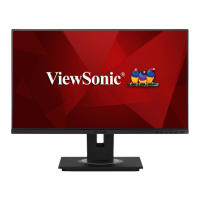
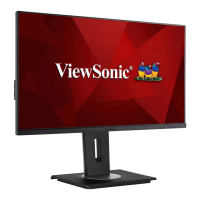
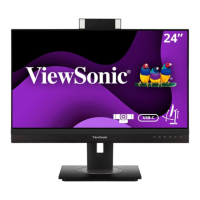
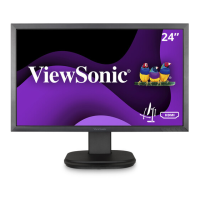
ViewSonic VG2457V - User Manual

ViewSonic VG2457V
76 pages
Print Icon
To Next Page IconTo Next Page
Loading...
IMPORTANT: Please read this User Guide to obtain important information on installing and using your product in
a safe manner, as well as registering your product for future service. Warranty information contained in this User
Guide will describe your limited coverage from ViewSonic® Corporation, which is also found on our web site at
http://www.viewsonic.com in English, or in specific languages using the Regional selection box of our website.
VG2457V
Display
User Guide
Model No. VS19735
P/N: VG2457V

Table of Contents

Other manuals for ViewSonic VG2457V

Questions and Answers

  • L
    Linda FoxAug 19, 2025
    What to do if my ViewSonic Monitor has no power?
    • P
      Patricia LongAug 19, 2025
      First, ensure the monitor is turned on by pressing the Power button. Then, verify the power cord is correctly and securely connected to both the monitor and the power outlet. To confirm the outlet is working, plug another electrical device into it.
  • L
    Latoya HansenAug 21, 2025
    Why is there no image on my ViewSonic Monitor even though the power is on?
    • K
      krista87Aug 21, 2025
      Check that the video cable connecting the monitor to the computer is properly and securely connected. Also, adjust the brightness and contrast settings. Finally, make sure the correct input source is selected.
  • F
    faithschwartzAug 23, 2025
    What to do if the screen image on my ViewSonic VG2457V Monitor cuts in and out?
    • J
      jessicawintersAug 23, 2025
      Make sure the correct input source is selected. Inspect the video cable connector for bent or broken pins. Also, ensure the video cable connecting the monitor to the computer is properly and securely connected.
  • S
    Stephen JonesAug 26, 2025
    Why does my ViewSonic VG2457V Monitor screen image appear too light or dark?
    • W
      Wendy MillerAug 26, 2025
      Adjust the brightness and contrast settings via the OSD Menu. If that doesn't work, reset the monitor to factory settings.
  • A
    Angelica OdonnellAug 27, 2025
    Why is the screen image blurred on my ViewSonic VG2457V Monitor?
    • J
      Jessica WrightAug 28, 2025
      Adjust the resolution to the correct Aspect Ratio. If the issue persists, reset the monitor to factory settings.
  • K
    Kimberly HughesAug 30, 2025
    What to do if the external device is connected, but no image appears on the screen of my ViewSonic VG2457V Monitor?
    • B
      Brian JonesAug 30, 2025
      Make sure the Power is On. Adjust brightness and contrast via the OSD Menu. Check the connecting cable and make sure it is properly and securely connected. Loose or broken pins in the cable connector could cause an improper connection.
  • J
    John HowardSep 1, 2025
    Why are the colors wrong or abnormal on my ViewSonic Monitor?
    • A
      Allison RodriguezSep 1, 2025
      If any colors (red, green, or blue) are missing, check the video cable to make sure it is properly and securely connected. Loose or broken pins in the cable connector could cause an improper connection. You can also connect the monitor to another computer to test it.
  • S
    smontgomerySep 3, 2025
    What to do if the OSD Menu does not appear on the screen or the OSD controls are inaccessible on my ViewSonic VG2457V?
    • G
      Glenn JoyceSep 3, 2025
      Check whether the OSD Menu is locked. If it is not locked, turn off the monitor, unplug the power cord, plug it back in, and then turn on the monitor. You may also try resetting the monitor to factory settings.
  • P
    pburnsSep 5, 2025
    What to do if USB devices connected to my ViewSonic VG2457V do not work?
    • J
      Jonathan FrenchSep 5, 2025
      Make sure the USB cable is connected properly. Try changing to another USB port (if applicable). If you are using a USB device that requires a higher electric current, connect the device directly to the computer.
  • E
    egriffinSep 7, 2025
    How to fix if some menus aren’t selectable in the OSD on ViewSonic Monitor?
    • J
      Jeff StoneSep 7, 2025
      Adjust the ViewMode or the input source. If the issue persists, reset the monitor to factory settings.

ViewSonic VG2457V Specifications

General IconGeneral
BrandViewSonic
ModelVG2457V
CategoryMonitor
LanguageEnglish

Related product manuals