EasyManua.ls Logo

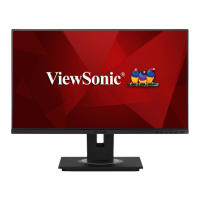
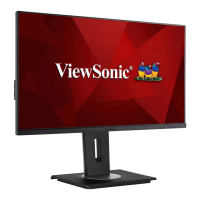
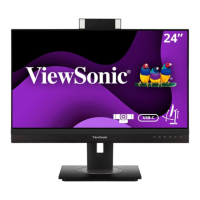
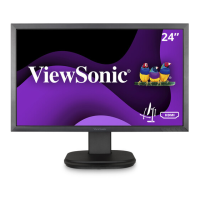
ViewSonic VG2457V - User Manual

ViewSonic VG2457V
76 pages
Print Icon
To Next Page IconTo Next Page
Loading...
IMPORTANT: Please read this User Guide to obtain important information on installing and using your product in
a safe manner, as well as registering your product for future service. Warranty information contained in this User
Guide will describe your limited coverage from ViewSonic® Corporation, which is also found on our web site at
http://www.viewsonic.com in English, or in specific languages using the Regional selection box of our website.
VG2457V
Display
User Guide
Model No. VS19735
P/N: VG2457V

Table of Contents

Other manuals for ViewSonic VG2457V

Questions and Answers

  • B
    Brian GonzalesSep 10, 2025
    What to do if the screen isn’t centered correctly on my ViewSonic Monitor?
    • E
      Eric StevensSep 10, 2025
      Adjust the horizontal and vertical controls via the OSD Menu. Check the Aspect Ratio. If problems persist, reset the monitor to factory settings.
  • J
    Justin FoxSep 12, 2025
    Why does my ViewSonic VG2457V Monitor screen appear yellow?
    • E
      emartinezSep 12, 2025
      Make sure the “Blue Light Filter” is Off.
  • P
    Patricia Silva DVMSep 14, 2025
    Why is there no audio output from my ViewSonic VG2457V?
    • A
      Anna RamseySep 14, 2025
      If using ear-/headphones, ensure the mini stereo jack is connected. Make sure the volume is not muted, nor set to 0. Check the Audio Input setting.
  • F
    Frank ChavezSep 16, 2025
    What to do if control panel keys do not work on ViewSonic VG2457V?
    • J
      joshua75Sep 16, 2025
      Press only one key at a time. If the issue persists, restart the computer.

ViewSonic VG2457V Specifications

General IconGeneral
BrandViewSonic
ModelVG2457V
CategoryMonitor
LanguageEnglish

Related product manuals