25
Alexa Voice Control Commands
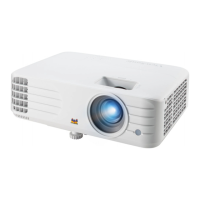
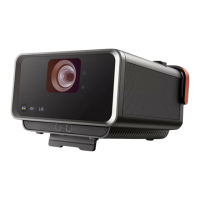
ViewSonic Smart Theater
The default name for [Device] is [My device12345]. However, please note
“12345” is the device’s ID, and each device is dierent.
Command
“Alexa, Turn On [Device].” Power on the device
“Alexa, Turn O [Device].” Power o the device
“Alexa, Set volume of [Device] to [0~50].” Adjust the Volume level
“Alexa, Mute [Device].” Mute the Volume
“Alexa, Unmute [Device].” Unmute the Volume
“Alexa, Change [Device] to HDMI [1/2]
Input.”
Change the HDMI input source
“Alexa, set [Device] to HDMI [1/2] Input.” Set the HDMI input source
“Alexa, set [Device] to USB-C Input.” Set the device to USB-C input
“Alexa, set [Device] to Home Page.” Go to the Home Screen
“Alexa, set [Device] to Auto Focus.” Automacally focus the image
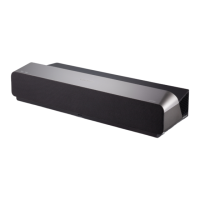
ViewSonic Advanced Smart Theater
Command
“Alexa, Ask/Tell ViewSonic to Power On.” Power on the device
“Alexa, Ask/Tell ViewSonic to Power O.” Power o the device
“Alexa, Ask/Tell ViewSonic to Volume
Up.”
Increase the Volume level
“Alexa, Ask/Tell ViewSonic to Volume
Down.”
Decrease the Volume level
“Alexa, Ask/Tell ViewSonic to Volume
0~50.”
Adjust the Volume level
“Alexa, Ask/Tell ViewSonic to Mute.” Mute the Volume
“Alexa, Ask/Tell ViewSonic to Unmute.” Unmute the Volume
“Alexa, Ask/Tell ViewSonic to HDMI 1.” Set the HDMI input source
“Alexa, Ask/Tell ViewSonic to HDMI 2.” Set the HDMI input source
“Alexa, Ask/Tell ViewSonic to USB-C.” Set the device to USB-C input
“Alexa, Ask/Tell ViewSonic to Home.” Go to the Home Screen
“Alexa, Ask/Tell ViewSonic to Focus.” Automacally focus the image
ViewSonic Advanced Smart Theater is recommended as more commands
are available.



 To Next Page