515151
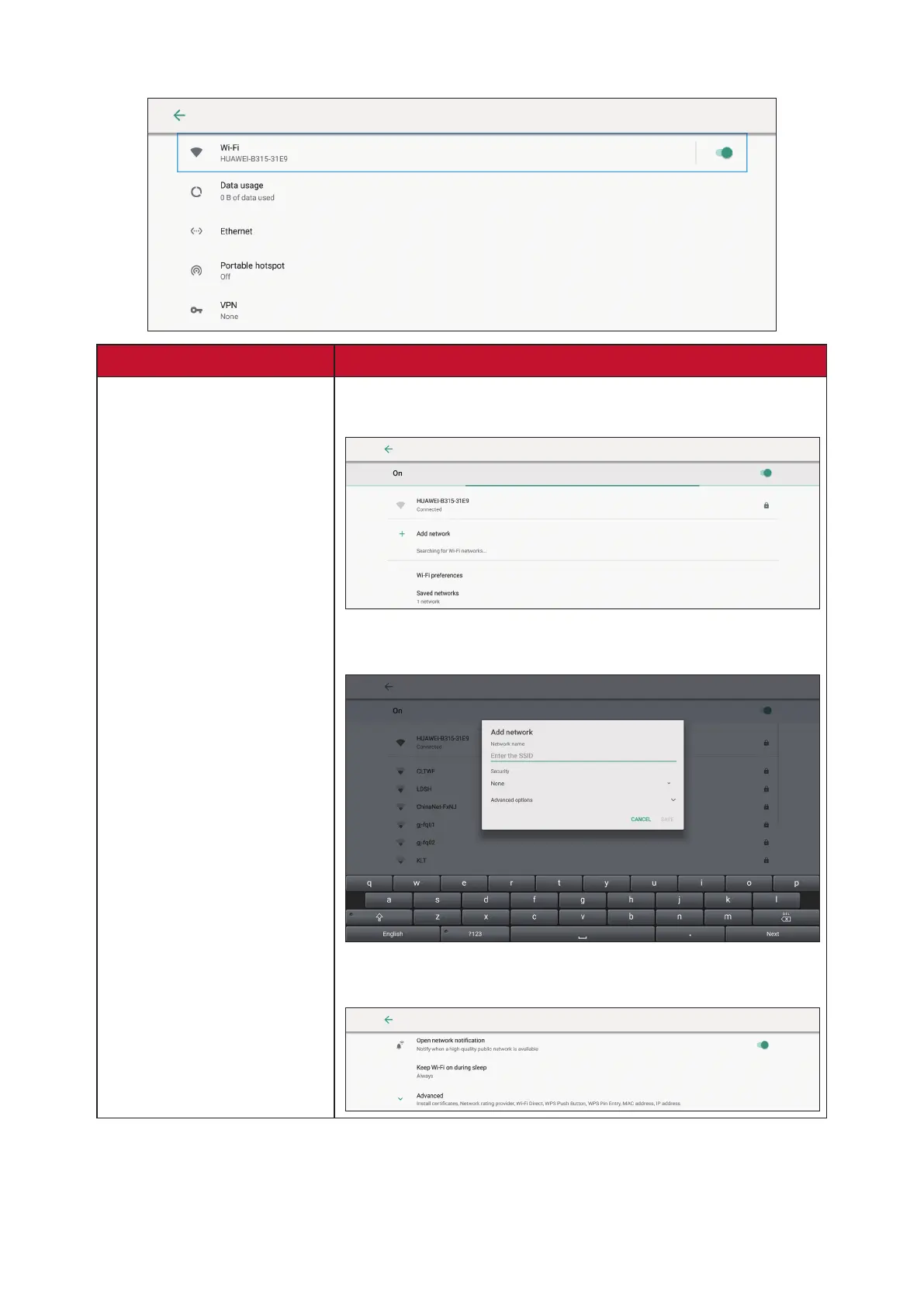
Network & Internet
Sub-menu Descripon
Wi-Fi
Select Wi-Fi to enter the Wi-Fi selecon interface. Then
select the desired Wi-Fi network and enter the password.
You can select Add Network in the Wi-Fi selecon screen
to manually add a Wi-Fi network.
Select Wi-Fi Preferences to view Wi-Fi usage preferences,
Wi-Fi connecon ps, etc.









 To Next Page