30
Installing the Middle Cabinets
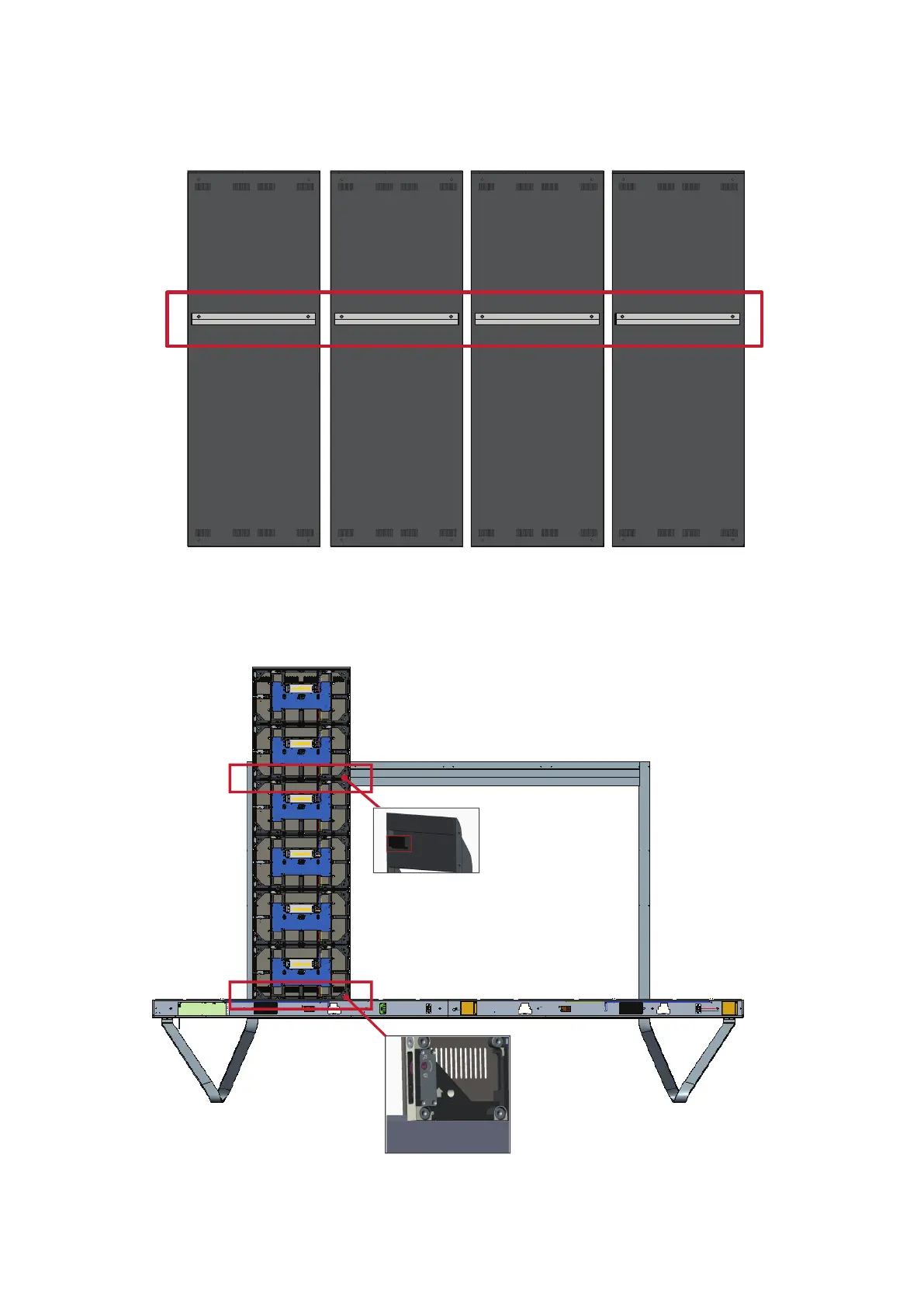
1. Ensure the four (4) Mounng Brackets on the rear of the four (4) Middle Cabinets
are posioned as shown below:
2. Carefully li a Cabinet up onto the Floor Stand, securing the Mounng Bracket
into the support channel of the Top Cross Beam. The boom of the Cabinet will
rest on the Boom Cross Beam.










 To Next Page