9User Manual Visit the ViewZ USA website at https://www.viewzusa.com
Remote Controller
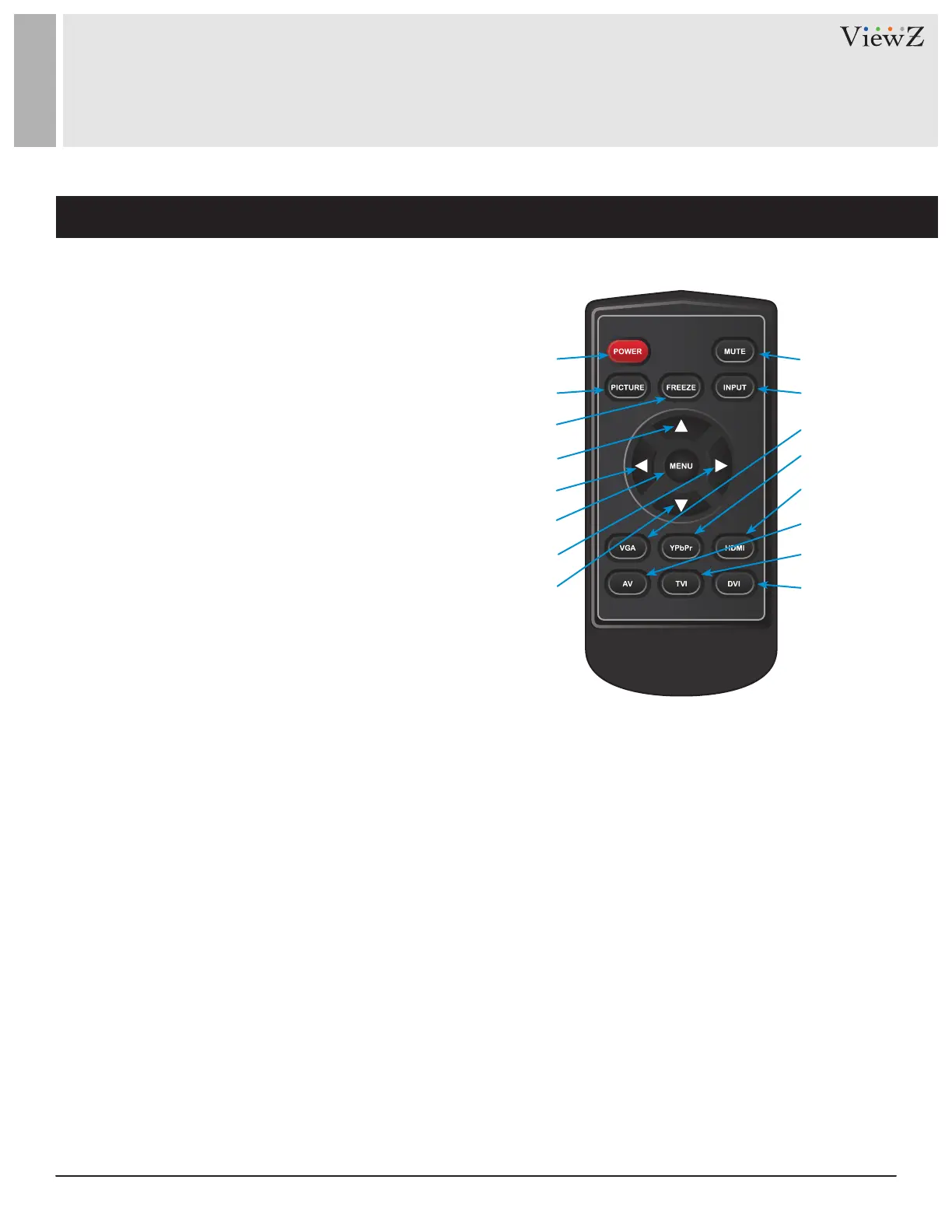
REMOTE FUNCTION
q
w
e
t
r
y
u
i
1. Power
2. Picture - Select Picture Mode
3. Freeze - Freeze the Display Image
4. Up
5. Le
6. Menu
7. Right
8. Down
9. Mute
10. Input
11. VGA Input Select
12. YPbPr Input Select - N / A
13. HDMI Input Select
14. AV Input Select - CVBS
15. TVI Input Select - N / A
16. DVI Input Select - N / A
o
a
d
s
f
g
h
j
Display image, sound and custom sengs can be adjusted in OSD (On Screen Display) menu by remote controller.
To adjust monitor seng value :
1. Press the 'MENU' buon to enter the OSD menu
2. Press the 'INPUT' buon to select input source
3. Press the 'FREEZE' buon to freeze current display image On / O - only available on the remote controller
4. Press the ▲ / ▼ buons to select the desired sub-menu. The selected submenu will be highlighted
5. Press the 'MENU' buon to enter the sub-menu for adjusng items
6. Change the value you wish to adjust by using the ◄ / ► buons
7. Press the 'MENU' buon to conrm / exit for saving adjustment value on sub-menu
8. Without entering OSD MENU, press ◄ / ► buons to adjust the audio volume
9. Without entering OSD MENU, press HDMI, AV & VGA buons to select desired input source
10. Press the 'MUTE' buon to on / o audio


 To Next Page