1. SELF-TEST DISPLAY
When there is no connection at PC, the On Screen Display will show for 3 seconds.
2. OSD MENU DESCRIPTION
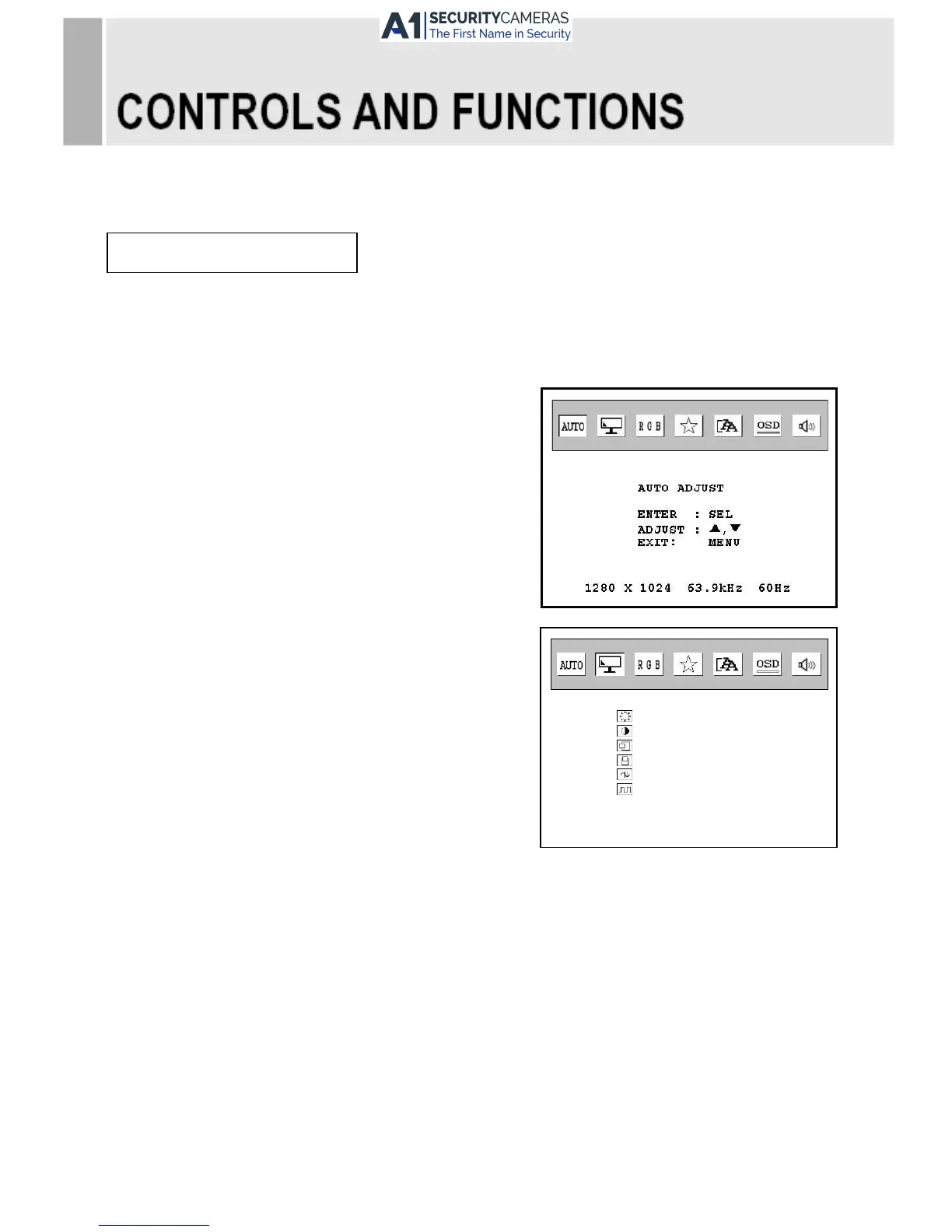
2-1 AUTO ADJUST
Adjust screen size when input is Analog(VGA).
2-2. SCREEN
1) BRIGHTNESS
Increase or decrease the intensity of the image.
2) CONTRAST
Increase or decrease the intensity (lightness or
dimness) of the image
3) H.POSITION
Move image horizontally on screen right or left.
4) V.POSITION
Move image vertically on screen up or down.
5) PHASE ADJUST
Remove and horizontal noise and clear up or sharpen the character images.
6) CLOCK ADJUST
Minimize any vertical bras or stripes appearing on the screen background.
INSTRUCTION MANUAL ……………………………………………………………………. 9



 To Next Page