Gasifying boiler VIGAS
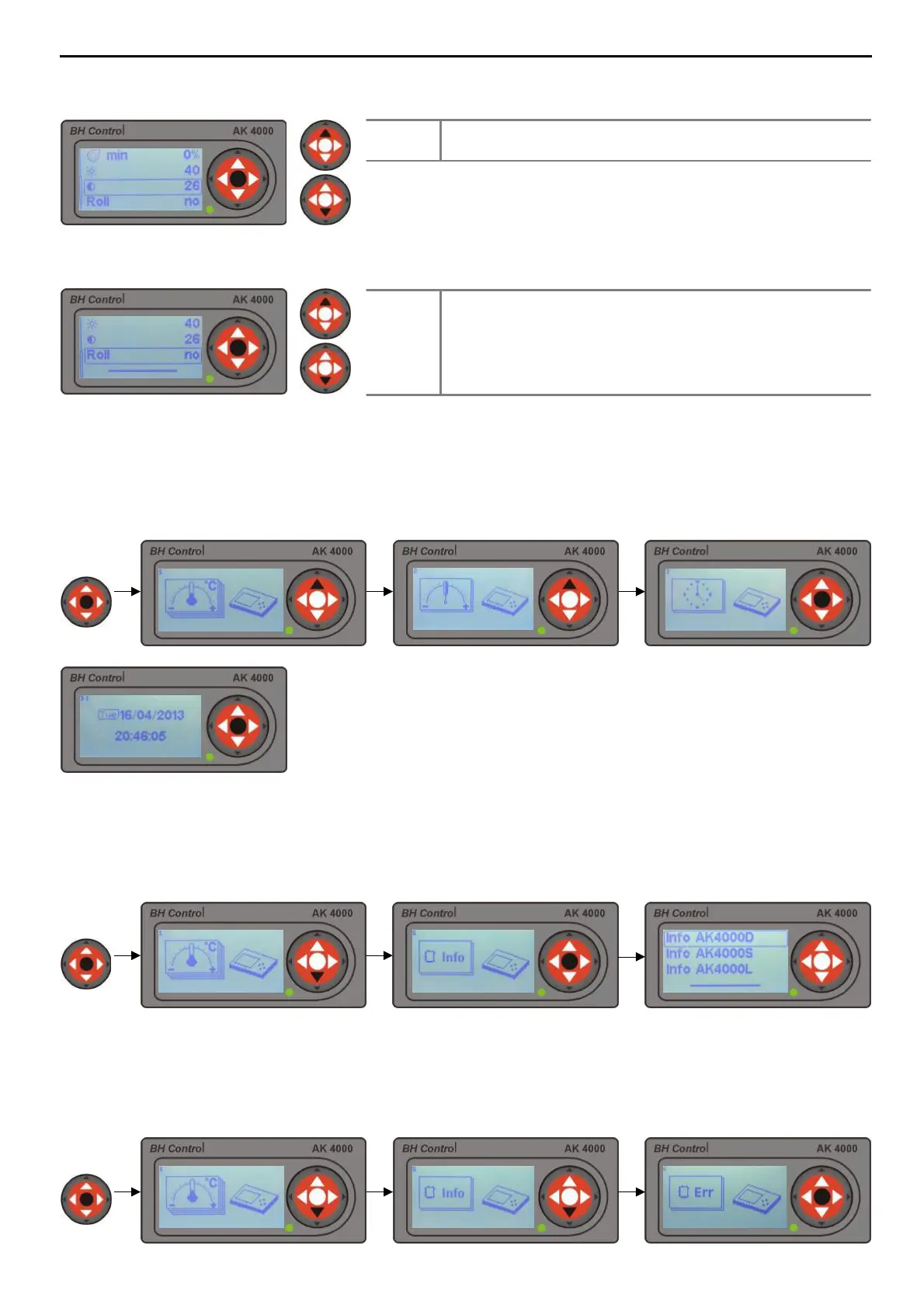
9.6 DISPLAY CONTRAST SET UP
9.7 SCROLLING MENU SET UP
10. TIME SET UP
11. HARDWARE AND SOFTWARE INFORMATION
12. ERROR NOTIFICATIONS
17
By pressing „ENTER“ button, values start flashing. Pressing ▲ choose
correct time and date. Mon – Moday, Tue – Tuesday, Wed – Wednesday,
Thu – Thursday, Fri – Friday, Sat – Saturday, Sun – Sunday.
Warning : Due to electricity power cut clock will stop.
To retrieve information setting hold „ENTER“ button at any boiler phase and press button . Confirm by pressing
„ENTER“. Use buttons ▲ to choose modul and confirm by „ENTER“. Information about modul will be indicated on
the display. AK4000D – Display, AK4000S – Power board unit, AK4000L – Lambda board modul.
To recall error notification hold „ENTER“ button at any boiler phase and by pressing button twice. By
pressing „ENTER“, error with description will be indicated on the display.
Choose value of display contrast. Select value
between 18 up to 34.
Roll
By choosing „yes“ line on the display (pic.7) option
will show actual boiler values, for example : fan speed,
boiler temperature, exhaust gas temperature, etc. By
choosing „no“ data, option line can be selected with
buttons ▲.
Set up time and date when boiler is first time plugged in. Time is indicated in the upper left corner of the
display. To retrieve parametres setting press longer „ENTER“ at any boiler phase and press ▲ button
twice.
2 sec



 To Next Page