VIKING TECHNICAL SUPPORT 1.800.908.0884
21
LIMITS SETUP
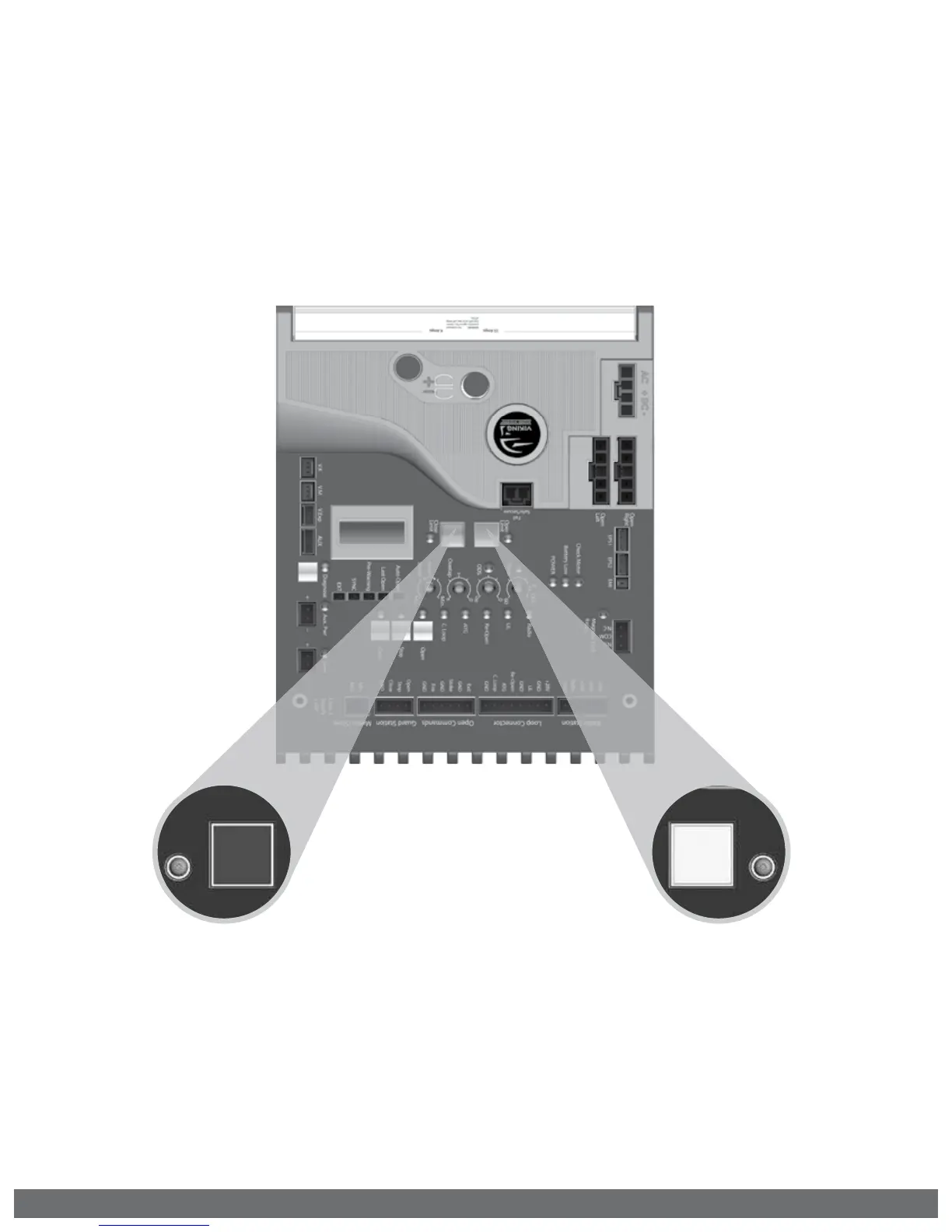
To Readjust the Close Limit:
1.
Clear the current limit setting by
holding down the “Close Limit” button
until the LED is flashing.
2.
Repeat STEP 2 on page 20 to set the
limit.
3.
Repeat STEP 4 on page 20 to relearn
the installed Positive Stop reference.
To Readjust the Open Limit:
1.
Clear the current limit setting by
holding down the “Open Limit” button
until the LED is flashing.
2.
Repeat STEP 3 on page 20 to set the
limit.
! IMPORTANT: If the gate has been manually released and re-engaged:
1.
The Open Limit LED will be illuminated solid and the Close Limit LED will be flashing.
2.
The gate will not run in the open direction until step 4 is repeated on page 20.
Open
Limit
Close
Limit



 To Next Page