VIKING TECHNICAL SUPPORT 1.800.908.0884
24
Initial Settings
CONTROL BOARD SETUP
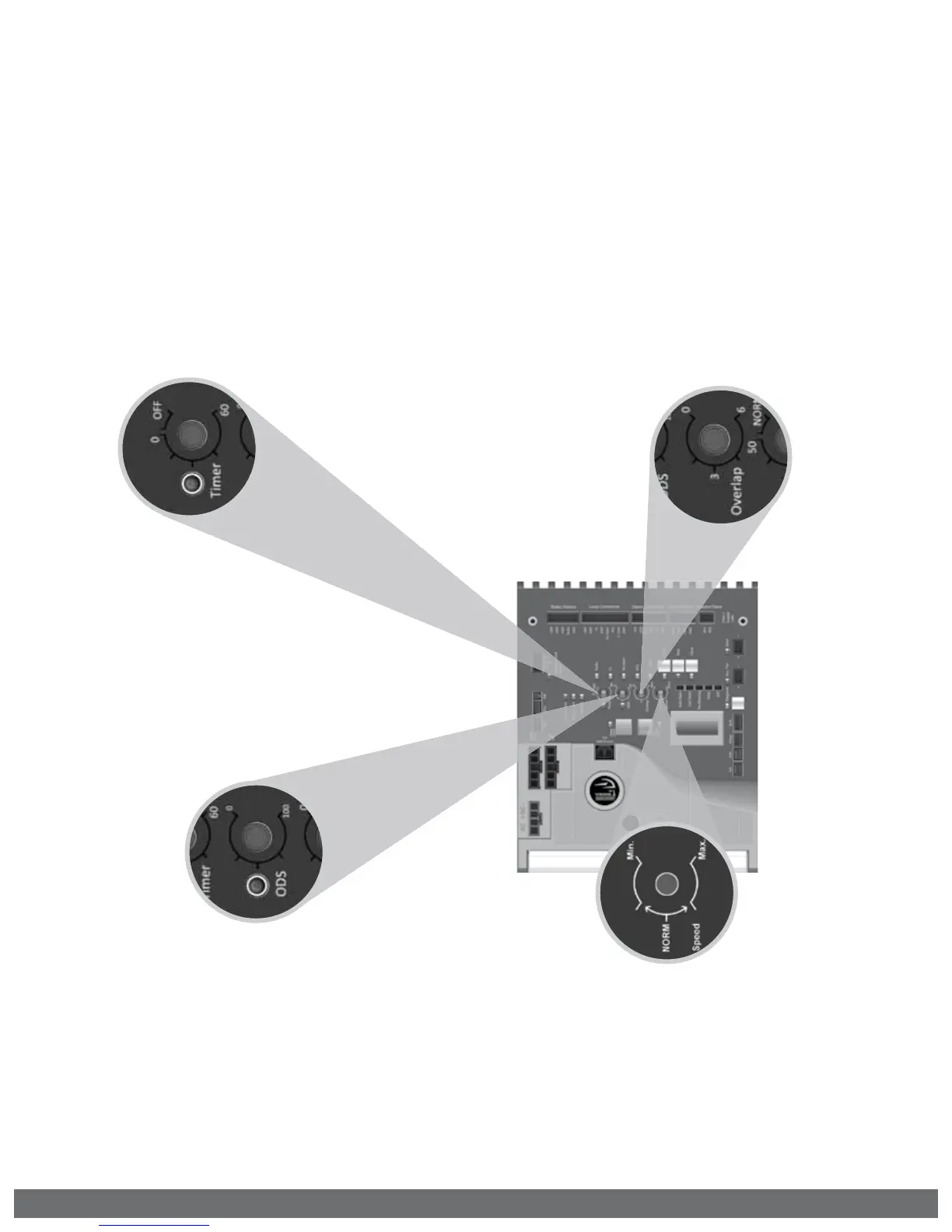
“Timer”
Hold Open Timer
Automatically closes the gate after
the selected amount of time from 1-60
seconds.
Turning the dial to between “0” and
“OFF” will disable this feature, requiring
a close command to close the gate.
“Speed”
Motor Speed
Increases or decreases the speed of gate
travel.
“Overlap”
Overlap Delay
For Master/Slave applications. The
control board that has this feature turned
on is the MASTER and will delay from 1-6
seconds. Slave will delay to close.
! Do not turn this feature on at both
control boards, only the Master.
“ODS”
Obstruction Detection Sensor
Sets the amount of force required to trip
the inherent obstruction sensor.
See page 26 for more details about this
feature.


 To Next Page