26
c
b
a
c
a
e df
b
a
d
7511131
8) ASSEMBLING THE PLATFORM
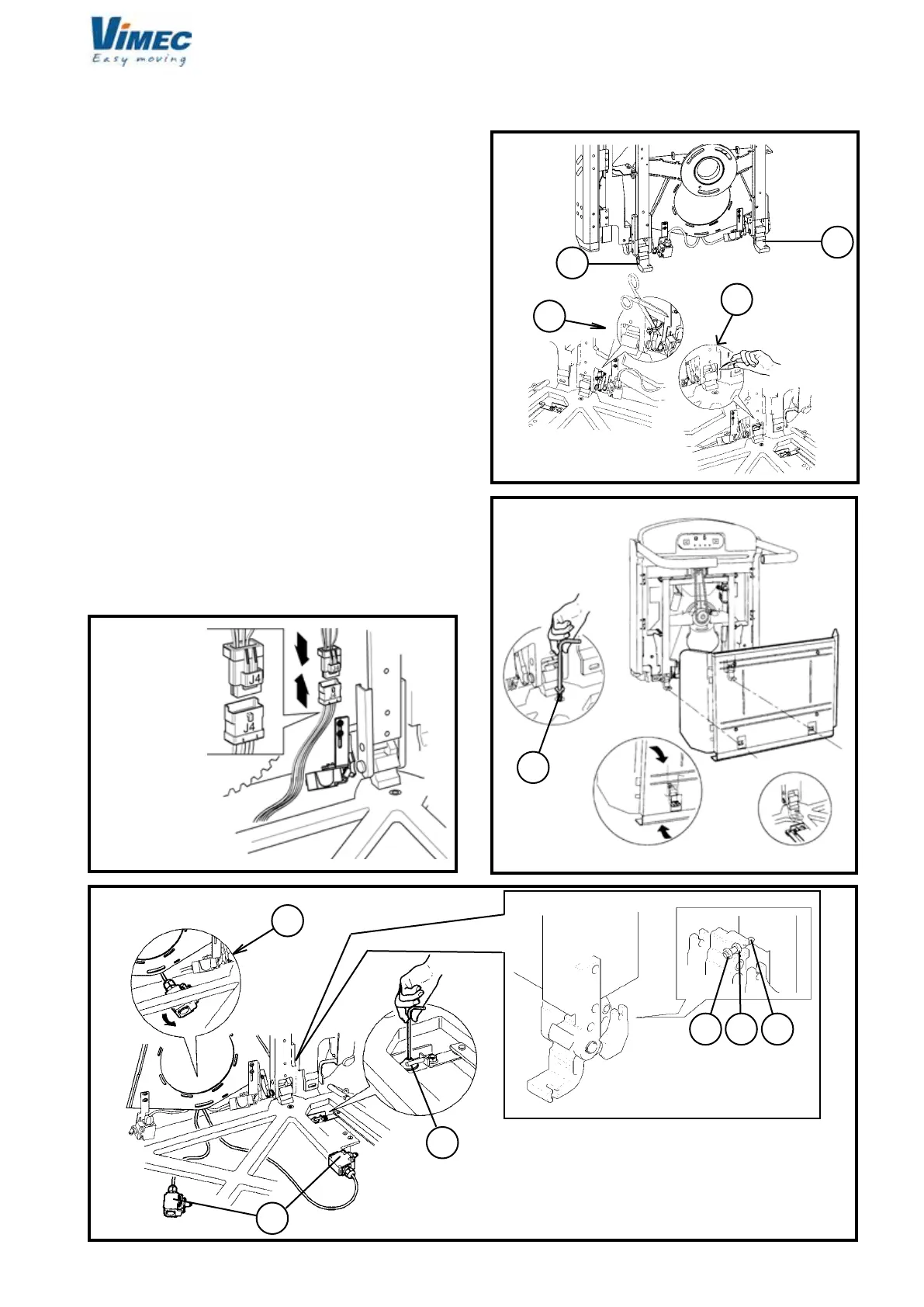
a) Remove the top plate from the platform by undoing
the relative screws.
b) Make sure that the two platform supports, xed by a
wedge and a plastic clamp, are in the assembly position
(Fig. 27/a/b).
c) Fit the platform, keeping it vertical and turning it
through 90° as shown in (Fig. 28).
d) Fix the platform to the frame using the TSPCE M8
at head screws (Fig. 28/a).
e) Plug in the connector j4 (Fig. 26/bis).
f) Connect the side guard board operating cables to
the relative bar actuators, passing them around the
pin (Fig. 30/a).
If the guards are not opened or closed correctly, adjust
to the specied position using the register fork (Fig.
30/b).
g) Fold the top plate on the platform using the relative
xing screws.
h) Remove the wedge and the plastic clamp (Fig.
27/c/d) used to keep the platform horizontal during the
adjustments from the platform supports.
i) Tighten the dowel, the nut and the locknut (Fig.
29/d,e,f) with a driving torque of 4 daN ± 0.1.
FIG.27
FIG.28
FIG.29
FIG.26 bis
l) Plug in the connector J4 (Fig. 26 bis).
7512131


 To Next Page