Operators guide
19
Adjusting the slide plate
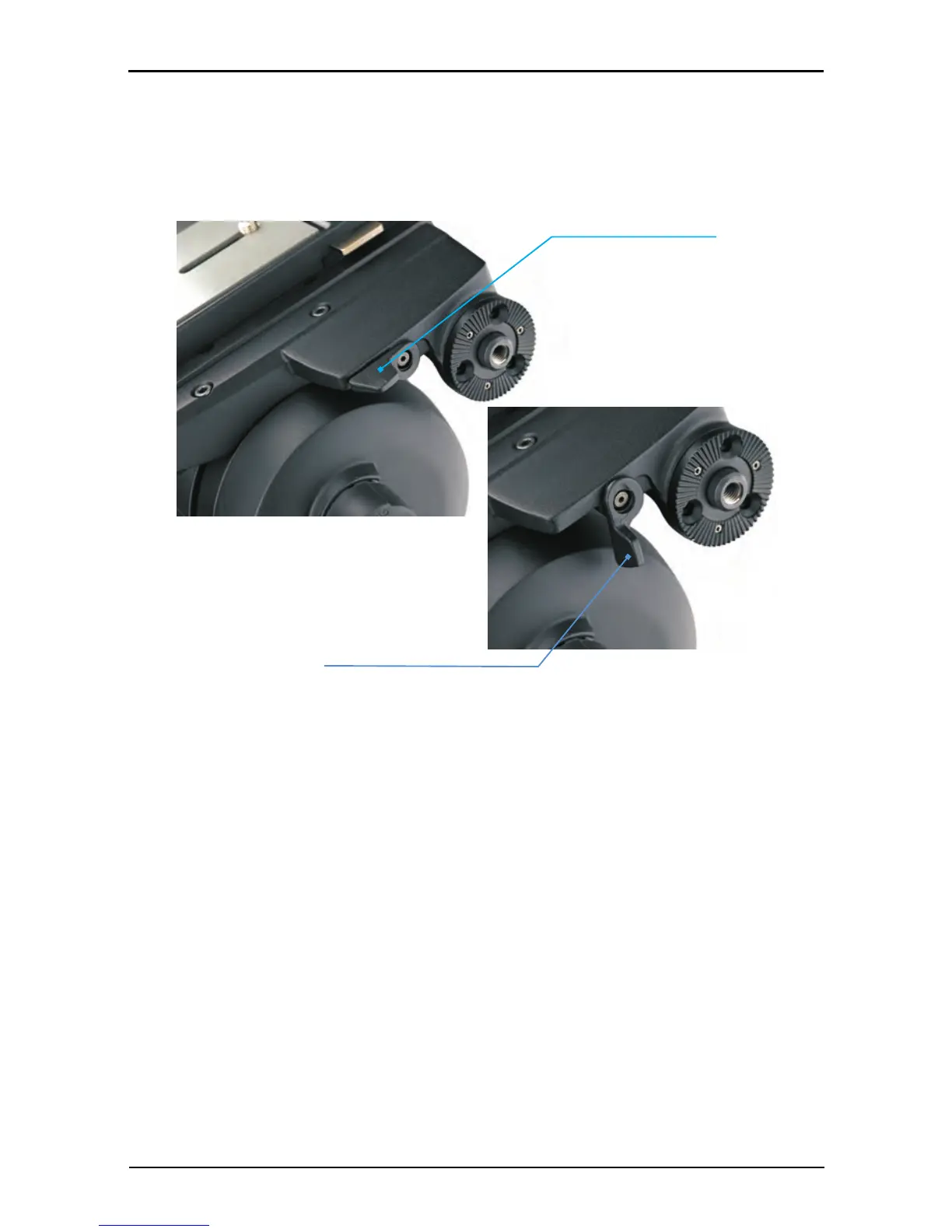
The position of the slide plate [16] can be adjusted using the retractable slide plate handle [1]
(often referred to as the ‘Tommy bar’) located on the left-hand side of the head. The slide plate
[16] is secured into position using the slide plate clamp [14] (Fig. 8).
To release the slide plate, proceed as follows:
Release the slide plate clamp [14].
Pull out the sliding plate retractable handle [1] until it engages with the platform drive.
Turn the handle clockwise to move the slide plate [16] in the fore direction. Turning the
handle counter-clockwise moves the slide plate [16] in the aft direction (Fig. 9).
When the slide plate [16] is in position, secure using the slide plate clamp [14].
Fig. 8 Slide plate clamp (ON/OFF positions)








 To Next Page