Maintenance
13
1. When the dust bag is full, the orange LED indicator on dirt
disposal will lighting. Please change for a new one.". Please
change dust bag in time when it's full to keep dirt disposal
function normal.
1. Invert the dirt disposal to check whether the dirt tunnel is
blocked by foreign maer. If it is blocked, use screwdriver to
detach the transparency cover and remove the foreign
maer according to the following picture.
Note: Do not dismantle it with excessive force.
Aer finishing clear-up, mount it again in place.
Replace dust bag
Replace dust duct
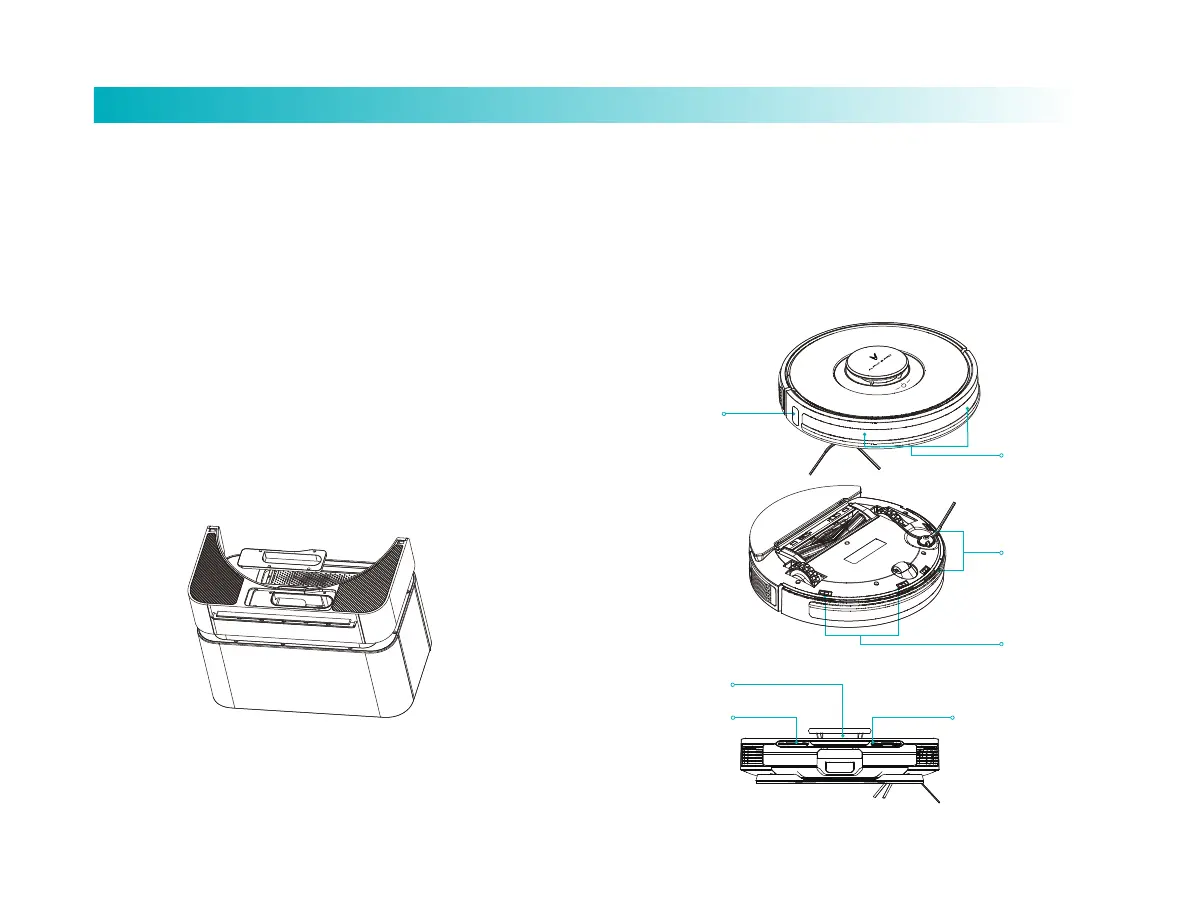
Clean sensor
1. It is recommended to weekly clean each sensor with clean
and so cloth to ensure proper cleaning performance.
Laser radar
Charging electrode
Robot vacuum-mop:
Cliff sensor×4
Laser sensor×3
Charging electrode×2
Laser radar×1
Charging electrode
Laser sensor
Laser sensor
Cliff sensor
Cliff sensor



 To Next Page