Instructions on Installation Operation Instructions
07
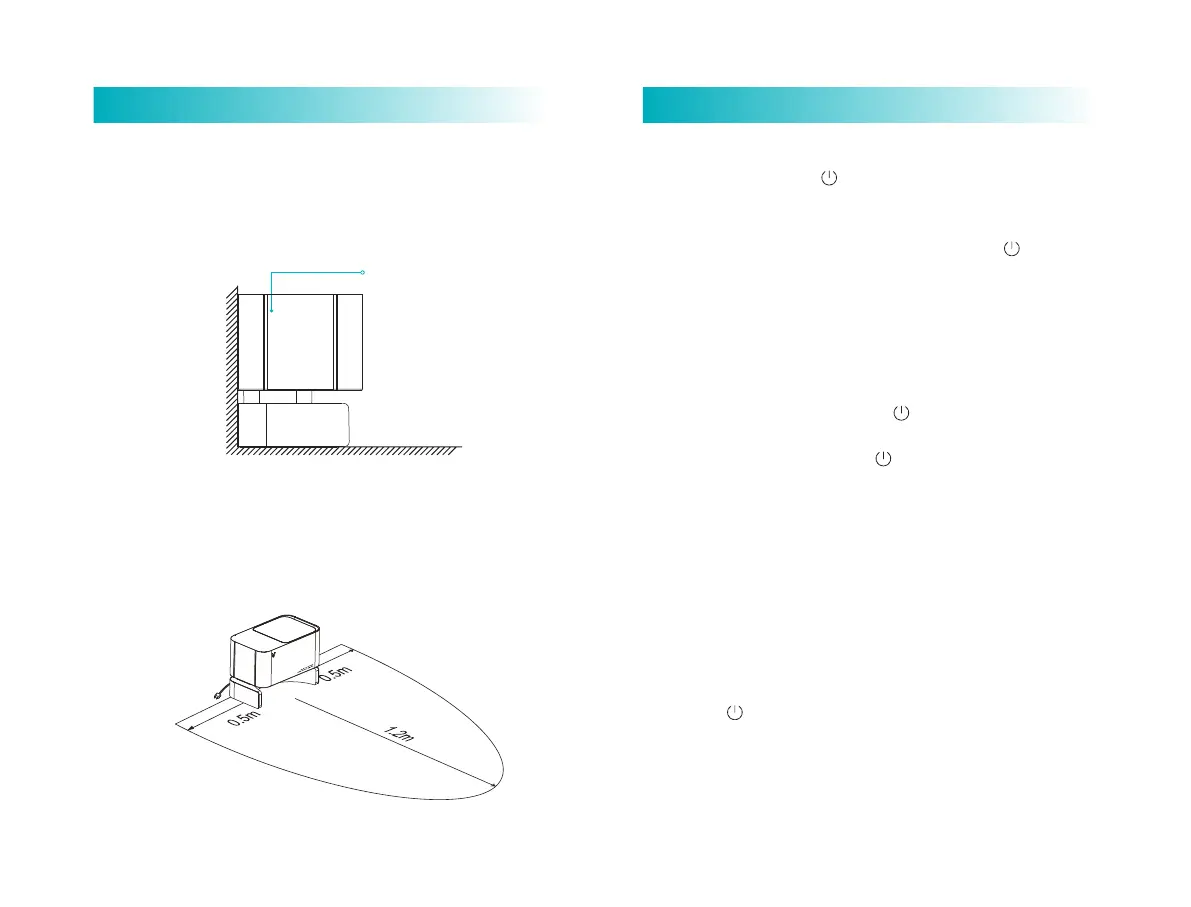
(1) Place automatic dirt disposal on flat floor near wall, and
connect the plug to a approved socket and switch power supply
on.
(2) Make sure there is no obstacle within 1.2 m in front and 0.5
m at both sides of it.
Place it near wall
Install the automatic dirt disposal
Switch on/off
Long press power buon for 3 seconds to switch robot on.
Power LED indicator flashes slowly and then lights on constantly in
white color, and the robot in standby.
When robot stays still, long press the power buon for 3
seconds to switch it off.
Robot will sleep if being idle for more than 10 minutes. In sleep
status shorting press any buon will wake it up.
Tips: During recharging, the robot cannot be switched off or sleep.
Sweeping
In power-on status, short press the buon with voice prompt
"start global sweeping".
During cleaning, short press the buon to pause cleaning.
Tips: At low baery level, cleaning function cannot be started.
Automatic/manual recharging
Upon end of cleaning, a voice prompt "cleaning finished and
recharging started" is given, and the robot starts recharging.
In case of low baery level during cleaning, the robot will start
recharging automatically.
Refilling tank or cleaning mop half-way
Short press buon to pause the robot; remove mopping module,
refill the tank or clean the mop; re-mount the mopping module and
short press the buon again to resume cleaning.



 To Next Page