11
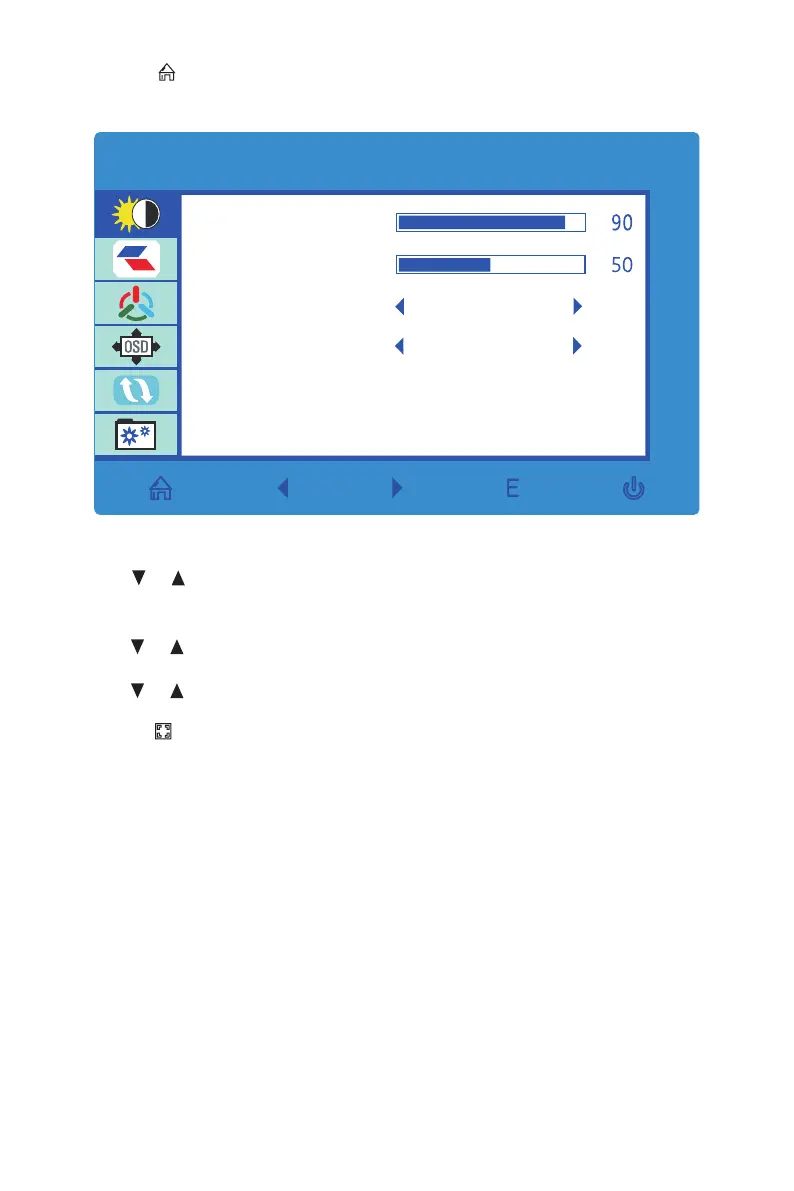
2. Press M ( ) to enter the OSD menu.
BRIGHTNESS
BRIGHTNESS
CONTRAST
ECO
DCR
STANDARD
OFF
3. Press or to browse Main Menu settings (Brightness, Image, Color Temp.,
etc.).
• Highlight the desired setting, then press M to enter the sub-menu.
• Press or to browse sub-menus, then press M to highlight the desired
function.
• Press or to adjust the parameter, then press M to conrm the changes and
exit the current screen.
4. Press E ( ) to exit the current screen.


 To Next Page