10
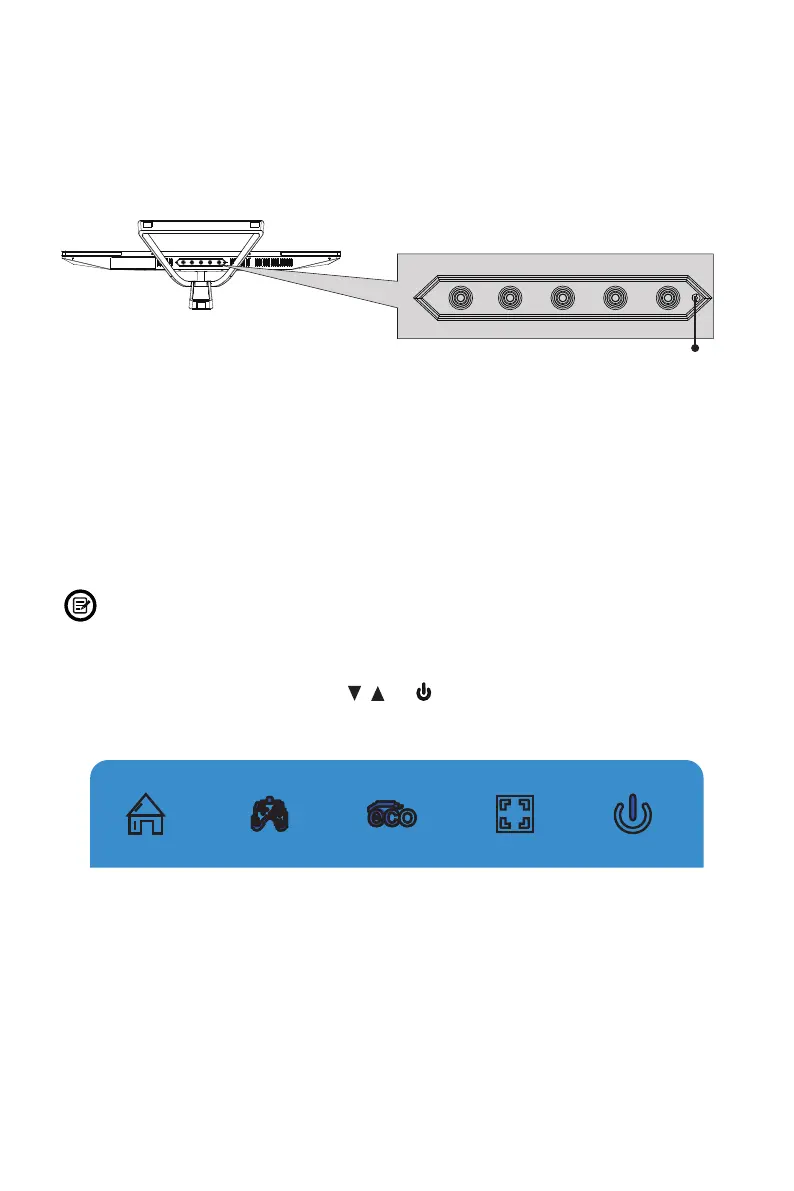
Section 7: Indicator Light
Solid blue light indicates power is on and the monitor is operating normally. Flashing
blue light indicates no video source, no horizontal or vertical signal has been
detected or voltage is low. Please ensure your computer is on and all video cables
are fully inserted and/or connected.
LED Indicator
Section 8: OSD Setup
The On-Screen Display (OSD) Menu may be used to adjust your monitor’s settings
and appears on screen after turning on the monitor and pressing the M button.
When using the monitor for the rst time, settings will automatically adjust to
optimal settings according to your computer’s conguration.
1. Press any one of the buttons (M, , , E, ) to activate the navigation window.
eco


 To Next Page