9
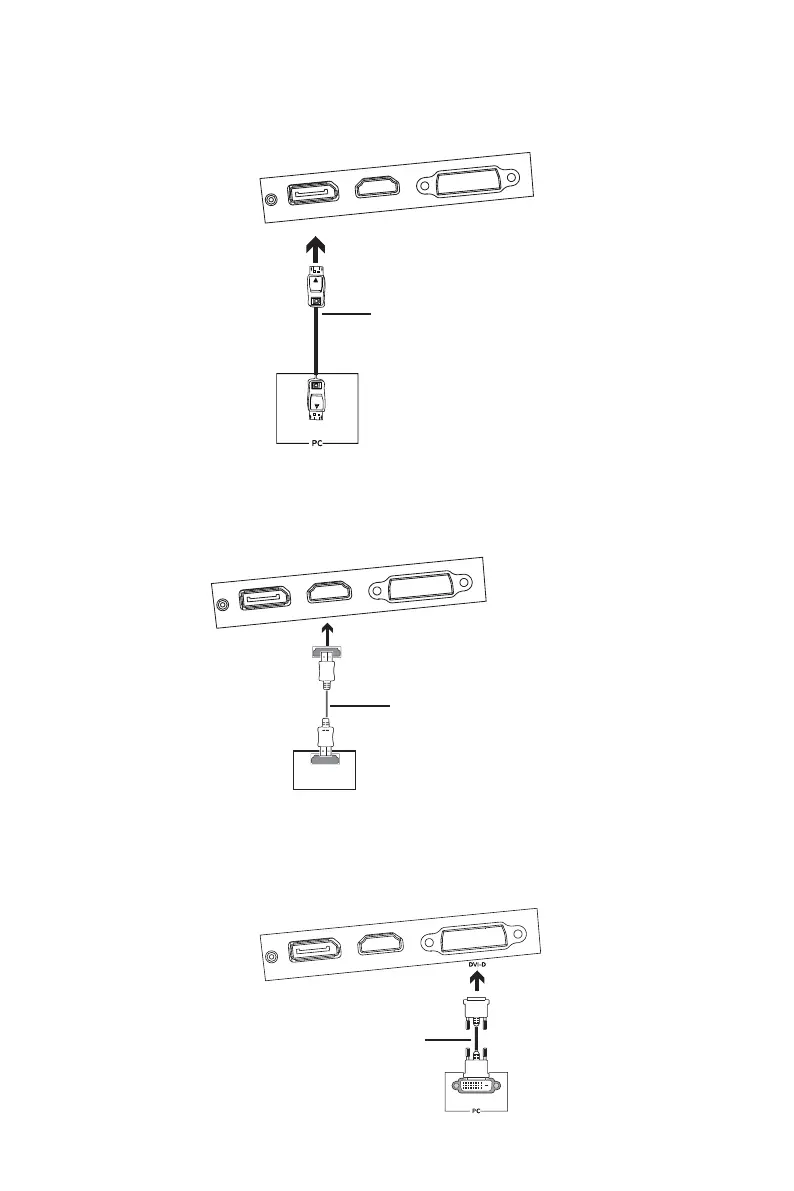
6.4 – DP Connectivity
In order for the monitor to receive DP signals from the computer, use the DP cable to connect
the monitor to the computer.
DP
DP OUTPUT
DP Cable (Included)
6.5 – HDMI Connectivity
In order for the monitor to receive HDMI signals from the computer, use the HDMI cable to
connect the monitor to the computer.
HDMI OUTPUT
PC
HDMI Cable (Not included)
6.6 – DVI Connectivity
In order for the monitor to receive DVI signals from the computer, use the DVI cable to connect
the monitor to the computer.
DVI OUTPUT
DVI Cable (Not included)


 To Next Page