6 Show desktop All windows are minimized and the desktop is shown.
7 Software keyboard This button displays a keyboard at the screen. "Hide Input Panel"
hides the keyboard again.
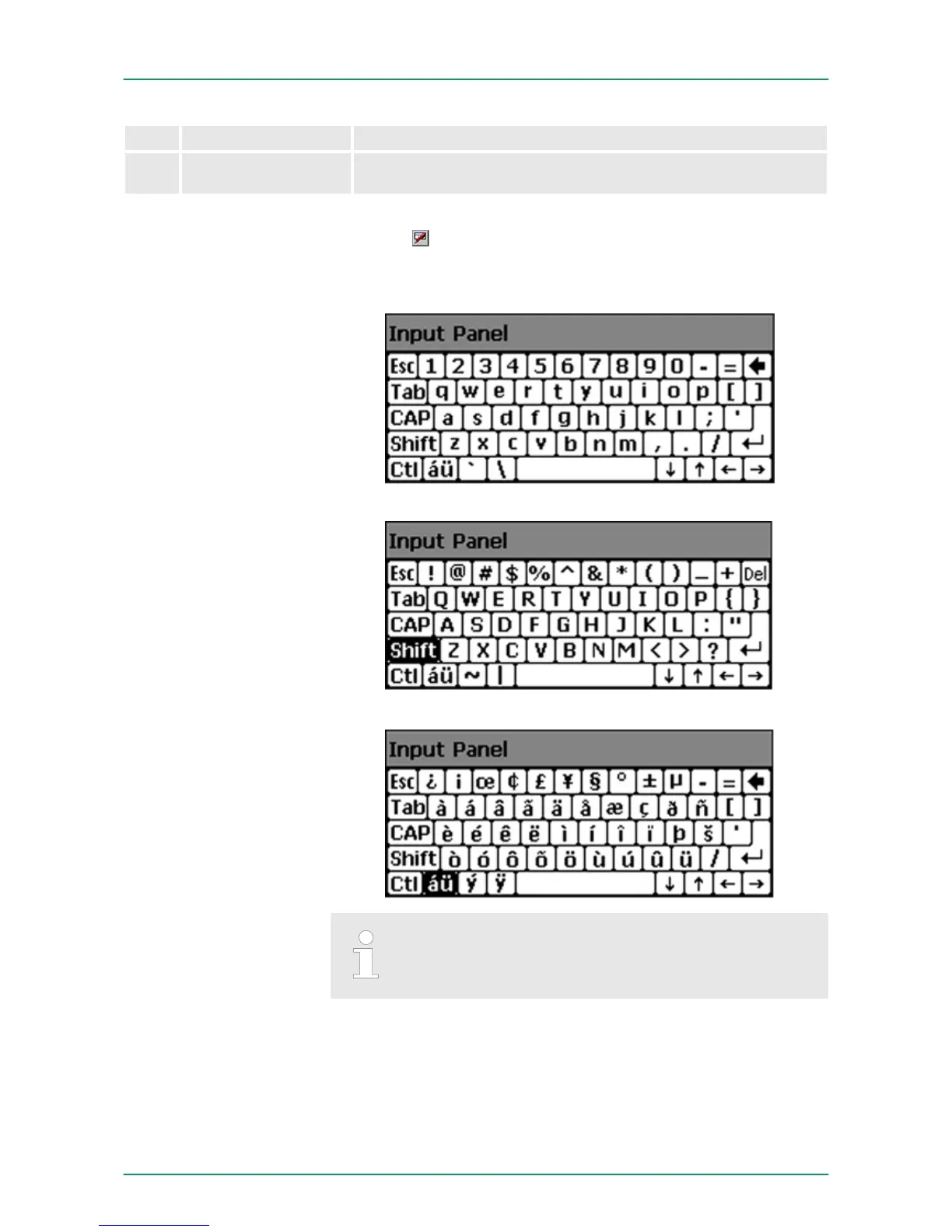
The button allows you to select one of the available software key-
boards. At the moment the following standard keyboards are imple-
mented:
At pushed SHIFT key:
At pushed [a´ü] key:
Please note that äöü can exclusively be entered via the
software keyboard "Keyboard".
Software keyboard
Keyboard
VIPA HMI Touch PanelDeployment under Windows CE 6.0 Prof.
Operating system WindowsÒ Embedded CE 6.0 Prof.> Structure
HB160 | TP-ECO | 62K-NHC0 | GB | 14-27 56


 To Next Page