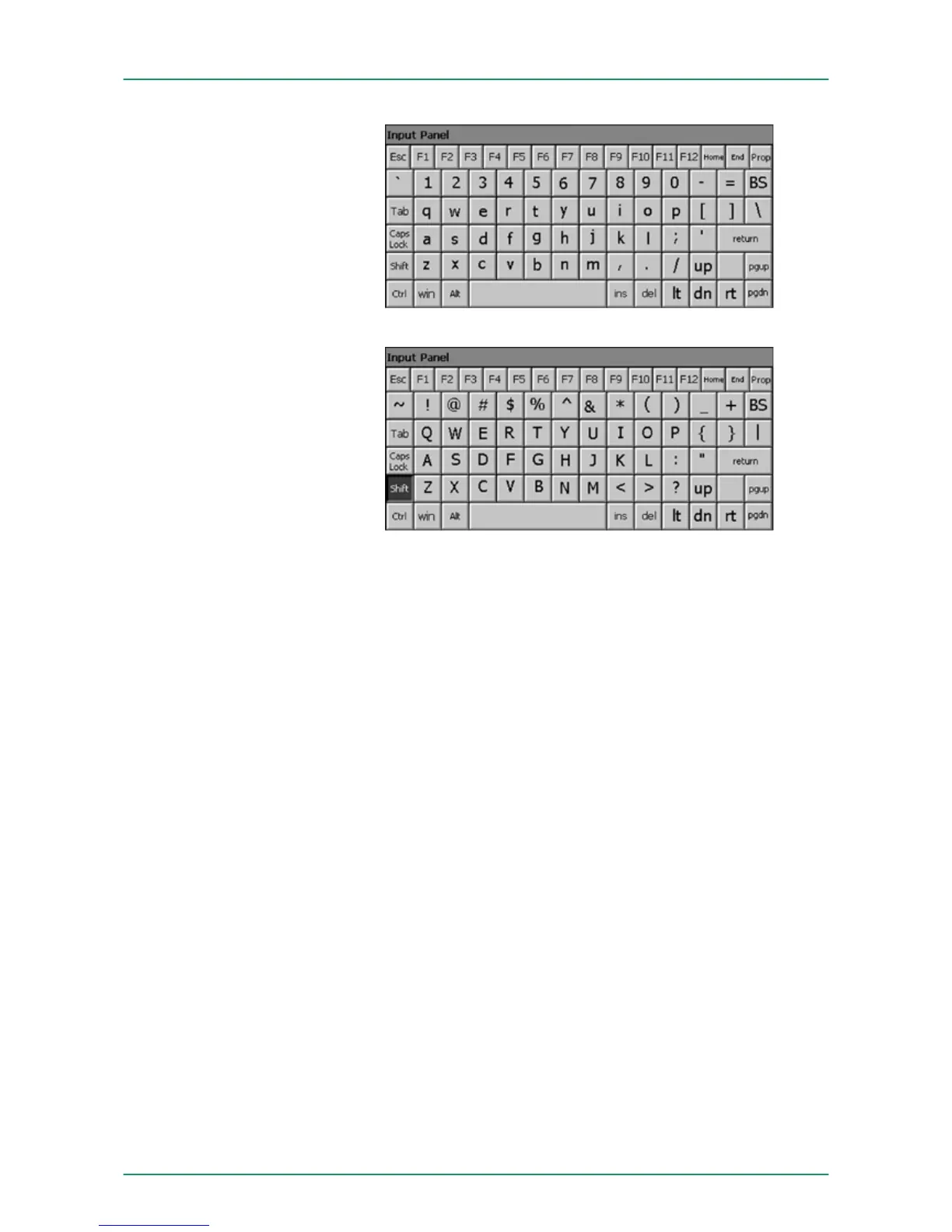
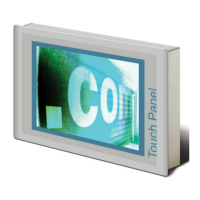
At pushed SHIFT key:
Home Position 1
End End
BS Backspace
up
dn ¯
lt ¬
rt ®
pgup Page
pgdn Page ¯
ins Insert
del Delete
Tab Tabulator
Shift
Caps/Lock
The software keyboard allows you to enter key entries without con-
necting an external keyboard. As soon as an entry is required the
software keyboard is automatically shown. Hide Input Panel hides the
keyboard again.
Large KB
Meaning
Hide keyboard
VIPA HMI Touch Panel Deployment under Windows CE 6.0 Prof.
Operating system WindowsÒ Embedded CE 6.0 Prof.> Structure
HB160 | TP-ECO | 62K-NHC0 | GB | 14-27 57


 To Next Page