9
© 2006 directed electronics
buttons simultaneously.
The auxiliary output controls_________________________.
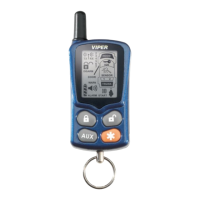
and or Buttons
An optional auxiliary convenience or expansion function that
you have added to your system can be activated by pressing these
buttons simultaneously.
The auxiliary output controls_________________________.
Program Button
(on rear of 2-way LCD remote only)
Use this button to select the vehicle to control from the remote.
Also use this button to configure response characteristics from
the LCD remote (see Programming 2-Way Remote).
standard LCD icon configurations (2-way only)
Icon
The transmit icon will be displayed while the remote control is
transmitting a command to the vehicle.
Icon
The signal icon will be displayed if a command is transmitted to
the vehicle but the command page is not received.
Icon
The receive icon will be displayed while the remote control is
receiving a page from the vehicle.
Icon
The auxiliary and sensor icons will display which auxiliary is oper-
➜



 To Next Page