41
© 2006 directed electronics
➤ Power Saver in Valet
®
Mode: When the system enters Valet
®
Mode the LED illuminates steadily. If the vehicle is not used
(ignition is not turned on) for a one hour period while the
system is in Valet
®
Mode, the LED will shut off. If the
system remains in Valet
®
Mode, the LED will come back on
the next time the ignition is turned on and then back off.
pprrooggrraammmmiinngg rreemmoottee ccoonnttrrooll ffeeaattuurreess
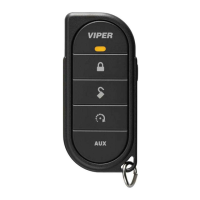
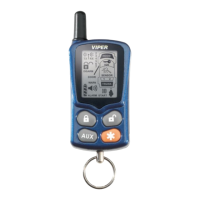
To enter programming mode
Press the Program button on the back of the remote or hold the
four remote control buttons on the front of the remote simultane-
ously until one long beep is heard. Programming Mode has now
been entered.
To exit programming mode
If no action is taken by the user within 5-seconds (button
pressed), programming mode will be exited.
Page notification (Beep or Vibrate)
Use to toggle selections between Beep mode or Vibrate
mode.
Illumination (On or Off)
Use to toggle selections between LCD backlight illumina-
tion On/Off.
➜
➜
➜
➜


 To Next Page