3. How to sync device
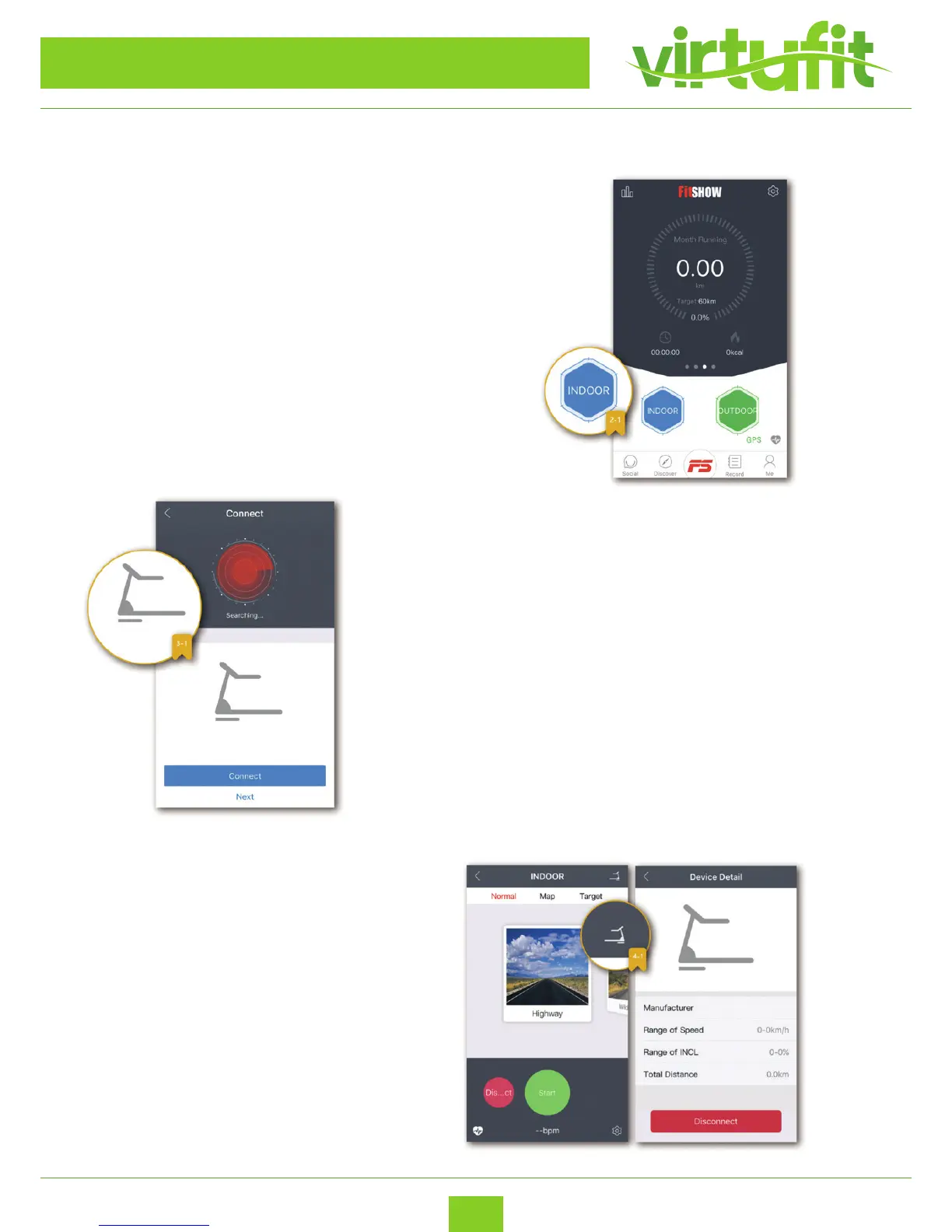
Enable Bluetooth on your device for indoor exercise. Simply
click the red
“INDOOR” button and begin exercising and the FitShow App
will record your workout progress.
NOTE: Click the blue “OUTDOOR” button to access GPS
mode, enabling you to continue tracking your workout his-
tory while running outdoor.
With bluetooth enabled, it will automatically
locate your device. Connect to the correspond-
ing device to ensure proper intergration.
Once connected, if you click image of de-
vice, the Device Details will appear, display-
ing the obtainable range of specications.
ANDROID APP
VirtuFit Totally Foldable TR-50i
ENG
TR-50i
TR-50i


 To Next Page