4. Operational instructions
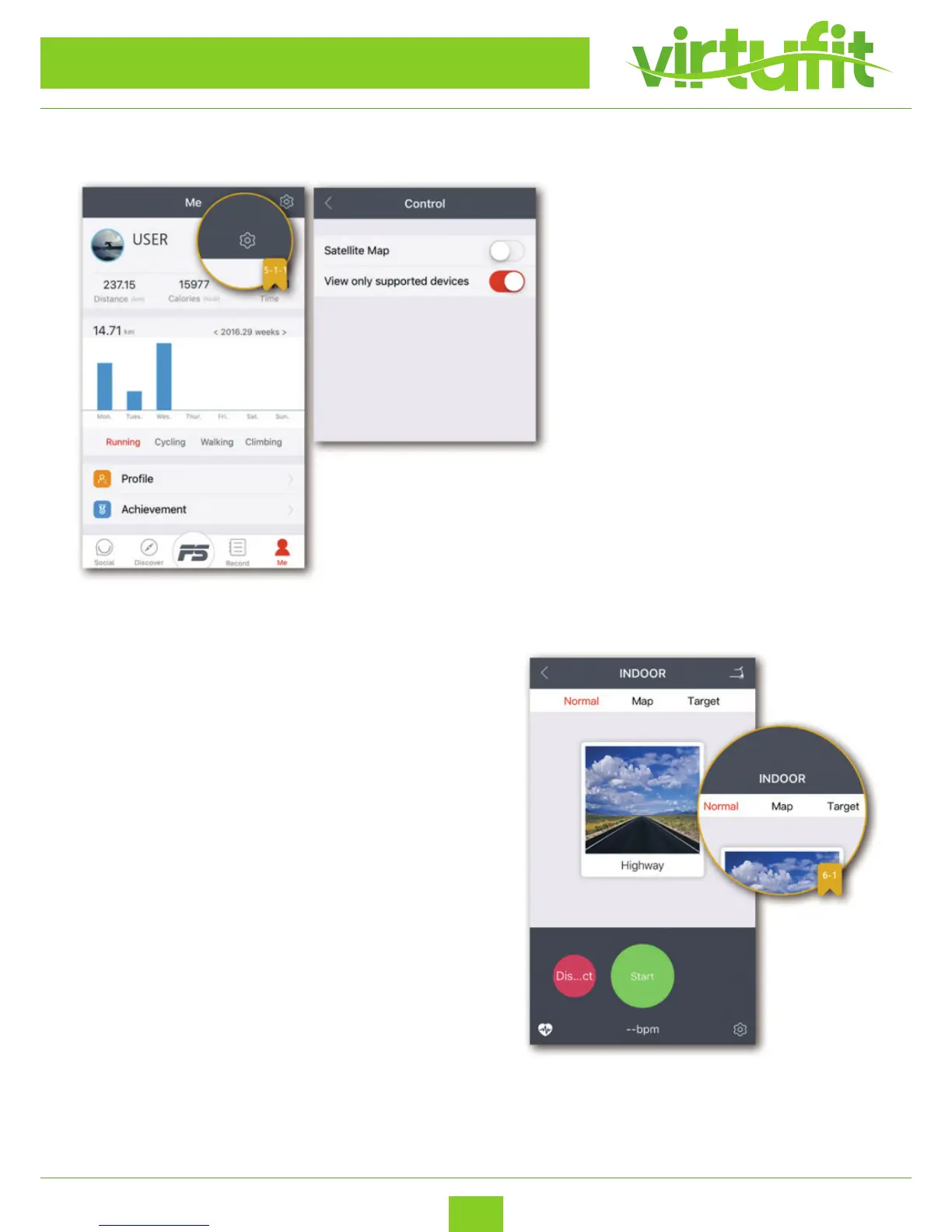
View only supported devices:
Only related tness equipment will be
shown, when synced with Bluetooth.
- To change other settings, follow these instructions:
- Click “ME” located on the bottom right.
- Click “Settings” on the bottom and click “Enable
Control”
Once connected, the App will display four modes, you can select one
mode and click “START” button to begin exercising.
WARNING: Move with caution while exercising and using the
App as multitasking may be a distraction.
ANDROID APP
VirtuFit Totally Foldable TR-50i
ENG



 To Next Page