24
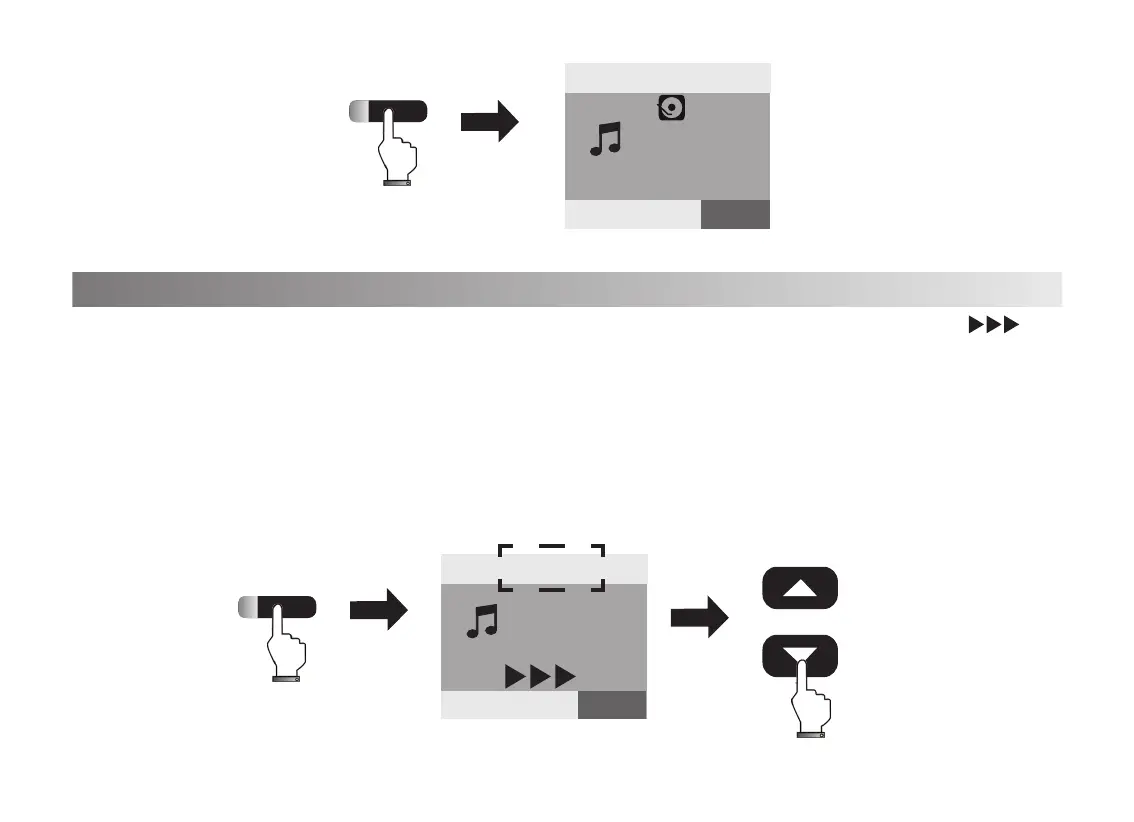
1. Press[Metronome]button, the indicated light on, the screen show the blink icon“ ”
and the metronome voice sound.
2. Press[Data/Tempo +/-], the screen shows “ Tempo=120” ( Default), In the moment, you
can adjust the tempo by press the [Data/Tempo +/-]button.
3.Press[Metronome]button, the indicated light off and exit the metronome setting function.
Metronome
Play
VOICE R1:0
Piano
20
Tempo
=120 0
STYLE SONG VOICE
Metronome
VOICE R1:0
+
-
Data/Tempo
20
Tempo
=120 0
STYLE SONG VOICE
Piano



 To Next Page
 Loading...