29
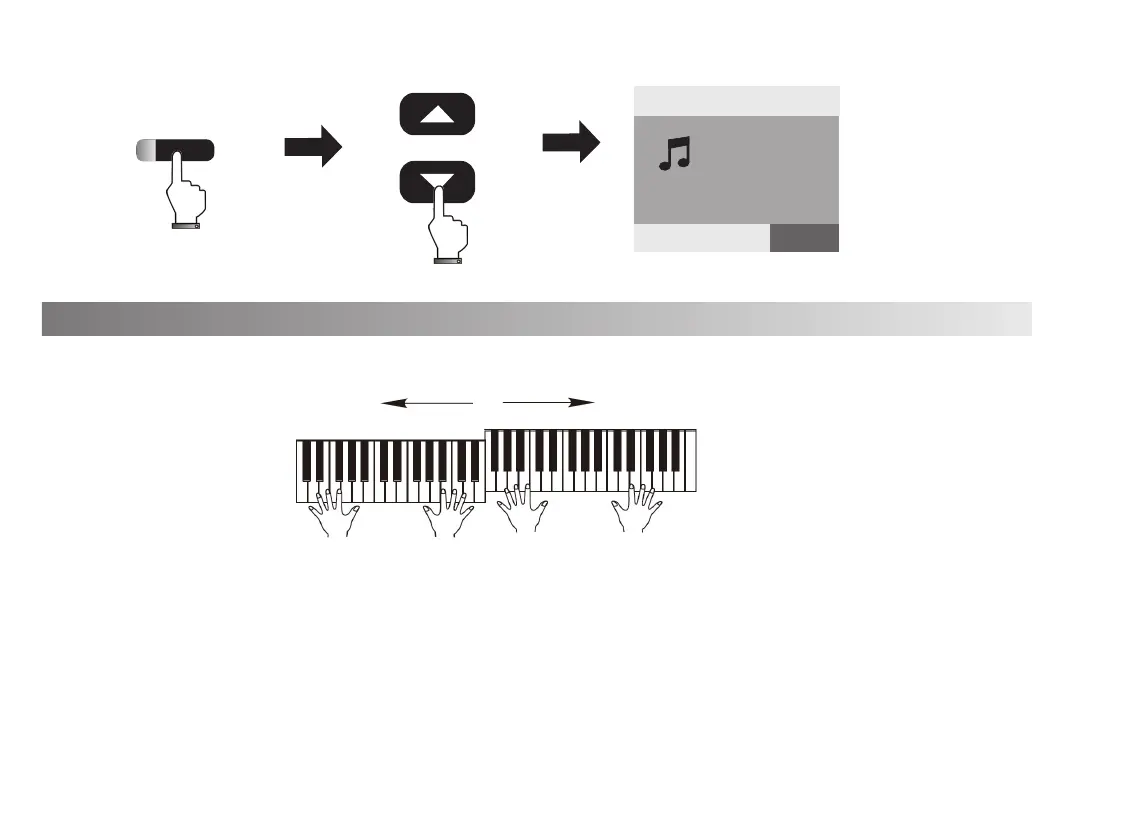
The function devices the keyboard into two separated operating area.
1. Select the voice of left side keyboard before pressing[SPLIT] button. Press[VOICE]button,
the indicated light on, then press [Data/Tempo +/-]button to select the voice.
2. Press [SPLIT] button to get into the double keyboard status, the keyboard will be divided
into two separated operating area. The default split point is C. Press [VOICE]button, select
the voice of right side keyboard by pressing [Data/Tempo +/-]button.
Double Keyboard
DUAL
VOICE R2:48
STRING
20
Tempo
=120 0
STYLE SONG VOICE
+
-
Data/Tempo
Left side keyboard Right side keyboard



 To Next Page
 Loading...