10
Version 1.1.0
Release Date : Feb. 24, 2011
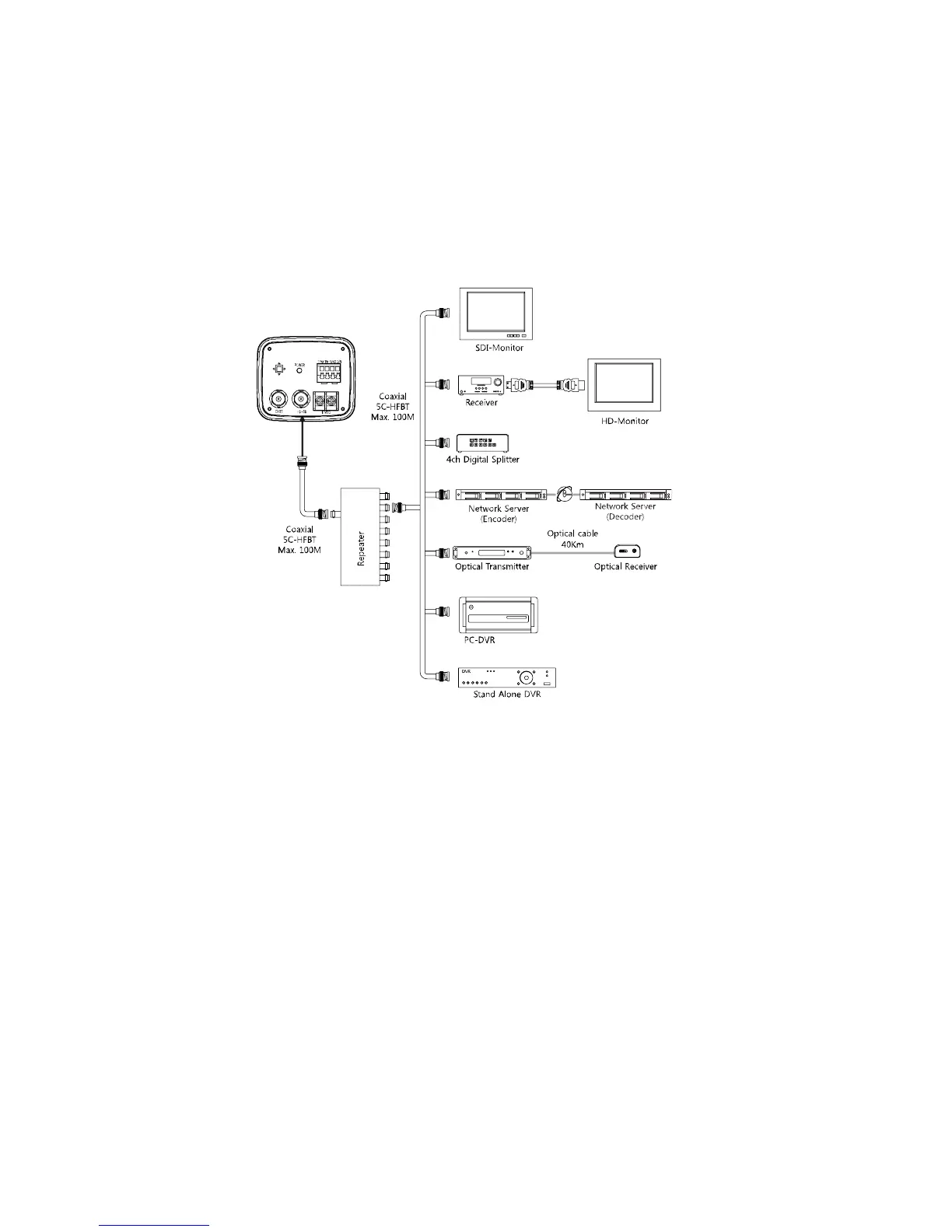
6-5. Application of HD-SDI output
Impedance alliance in the system connection.
Make sure to connect the cable with the power off. Please locate the impedance switches of
each equipment as instructed. Locate the switch to Hi-z position for the interim equipments.
Locate the switch to 75 for the last equipment.
6-6. Power
12VDC camera
Please make sure to use a UL/CE approved and
12VDC/450mA regulated power supply.
12VDC/24VAC Dual Power camera (Option)
Please make sure to use a UL/CE approved and
12VDC/450mA, 24VAC/220mA regulated power
supply.



 To Next Page