9
Version 1.1.0
Release Date : Feb. 24, 2011
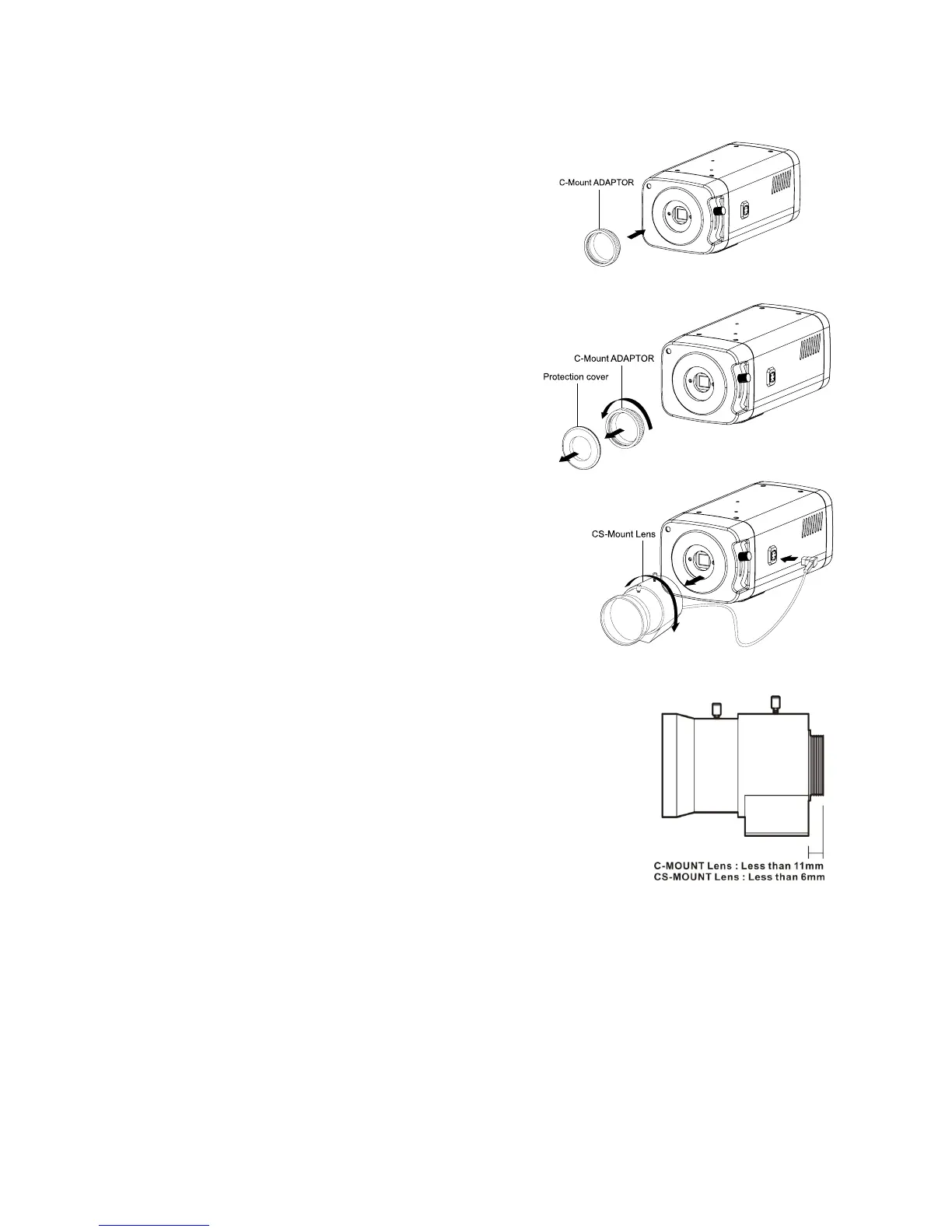
6-3. When using a C-mount Lens
Please assemble C-Mount adaptor.
C-Mount adaptor is included in the package.
Fix the lens by turning it clockwise.
6-4. When using a CS-mount Lens
Take off the Protection cover.
Take off the C-MOUNT adaptor.
Assemble the CS-MOUNT lens by turning it clockwise.
- When used with an Auto Iris lens, please insert the
iris jack into the Iris socket which is located on the
right side of the camera.
- Please set the lens mode by using OSD Switch on
the back of the camera depending on the type of
selected lens.
☞ Caution
- Use the lens as shown in the picture here.
- When the lens is out of the spec, it could damage the camera inside
or may not be correctly fit with the camera.
- Use the lens less than 450g. Heavier lens can damage the camera.



 To Next Page