20
Version 1.1.0
Release Date : Feb. 24, 2011
4. When a name has been chosen, please select a position for the name to display.
① Please move the cursor onto ’POSITION’ and then press the button.
② The name will appear at the top right corner.
③ Please find the position you wish to display the name by using the 4 directional
selections, and then press the button to finish.
5. Camera Name Input process is finished if user selects ‘RETURN’ and presses OSD switch.
(5) FIRMWARE:
- Shows firmware version of this camera unit.
(6) 485 TERM
- RS485 Function ON/OFF
(7) BAUD RATE
- Selects baud rate for RS485 communication among 2400/ 4800/ 9600. (Default:9600)
(8) SYSTEM RESET
- Resets all setting of SYSTEM menu.
CAMERA ID, 485 TERM settings are not initialized.
(9) RETURN
- Returns to the MAIN MENU.
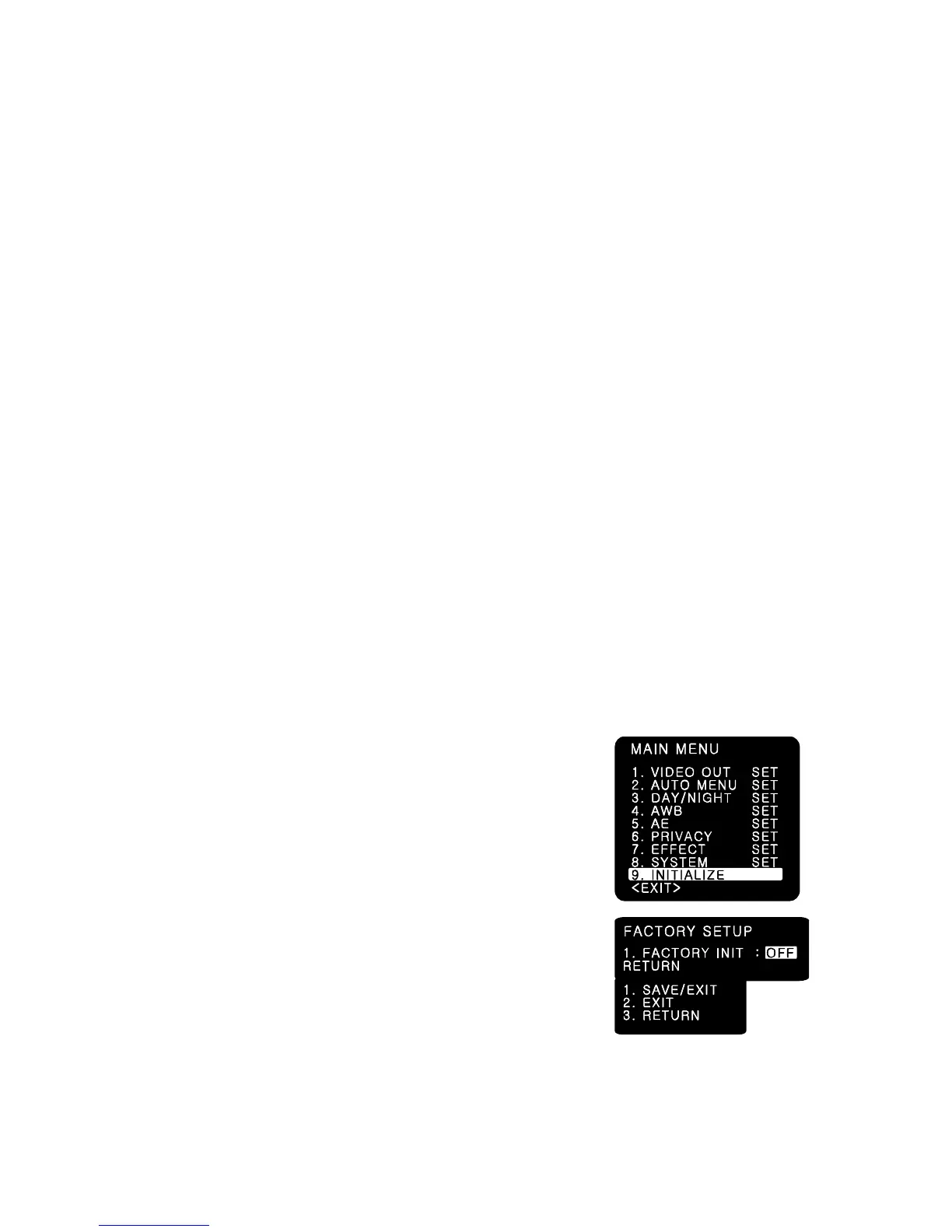
7-11.INITIALIZE
Resets the camera setting to the factory defaults.
CAMERA ID, 485 TERM settings are not initialized.
7-12.EXIT
(1) SAVE/EXIT
- Saves the current settings and exits the menu.
(2) EXIT
- Not saves the current settings and exits the menu.
(3) RETURN
- Returns to the MAIN MENU.



 To Next Page