13
Version 1.1.0
Release Date : Feb. 24, 2011
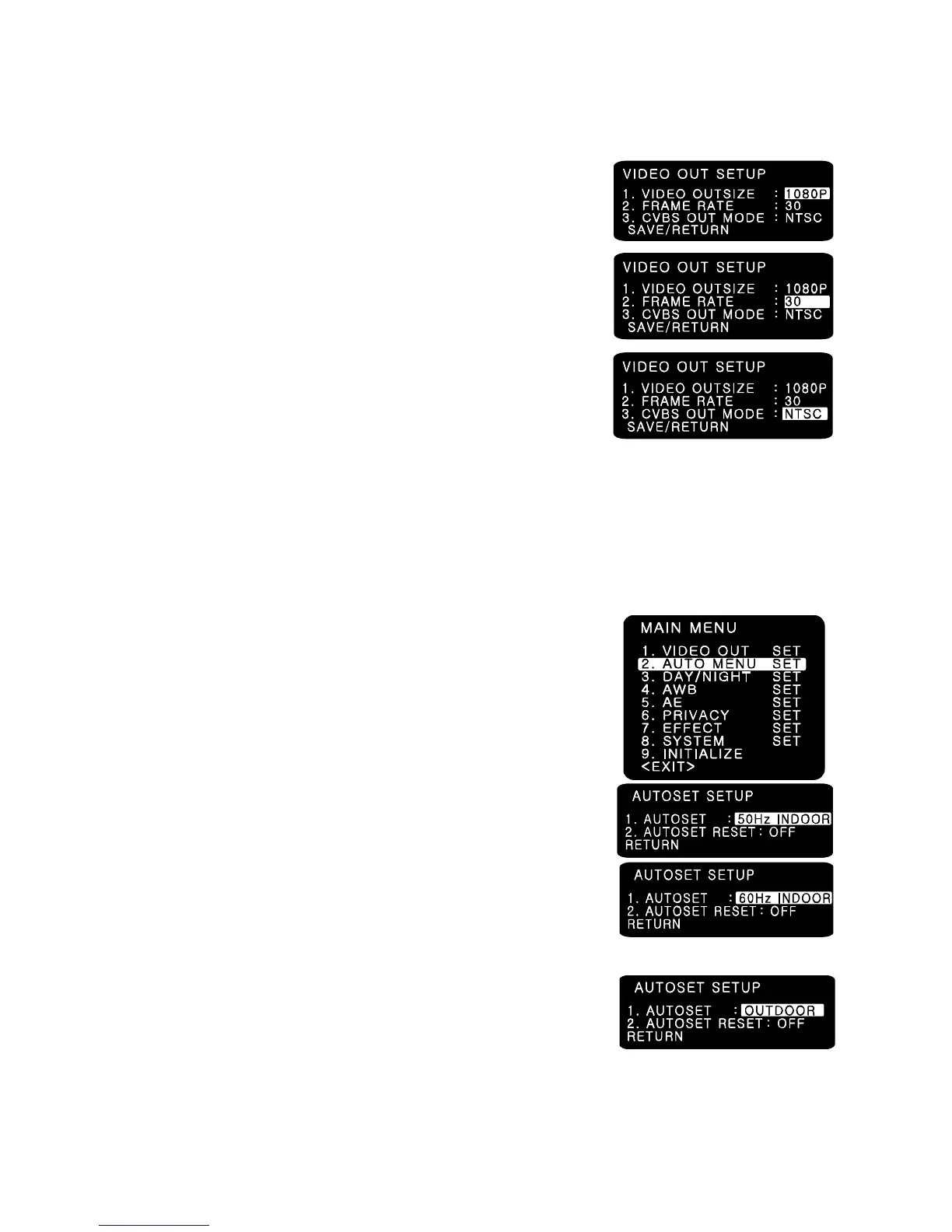
7-3. VIDEO OUT
(1) VIDEO OUTSIZE
- VIDEO OUTSIZE can be set to 1080P, 1080i, 720P according
to Local Regulation.
(2) FRAME RATE
- Six modes of 60/59.94/50/30/29.97/25 can be selected.
(3) CVBS OUT MODE
- CVBS output can be set to NTSC or PAL according to
local TV standard.
☞ NOTE
In case of 1080i mode, only 3 types of Frame rate are available and they are 60/50/59.94
respectively.
When you use 1080P 60 mode, please check your DVR or related HD devices first whether
they support this mode or not. ( In this mode, cable connection distance is less than half of
1080P 30 mode.)
7-4. AUTO MENU SET
(1) NORMAL
- Sets as initial factory default value.
(2) 50HZ INDOOR
- For indoor use in 50HZ (PAL) environment.
(In this mode, i.e. 50HZ INDOOR MODE, FLICKERLESS changes
automatically into 50HZ mode from initial OFF mode.)
(3) 60HZ INDOOR
- For indoor use in 50HZ (PAL) environment.
(In this mode, i.e. 60HZ INDOOR MODE, FLICKERLESS changes
automatically into 60HZ mode from initial OFF mode.)
(4) OUTDOOR
- For outdoor use.
(In this mode, i.e. OUTDOOR MODE, AWB changes
automatically into PUSH mode from initial ATW mode.)



 To Next Page