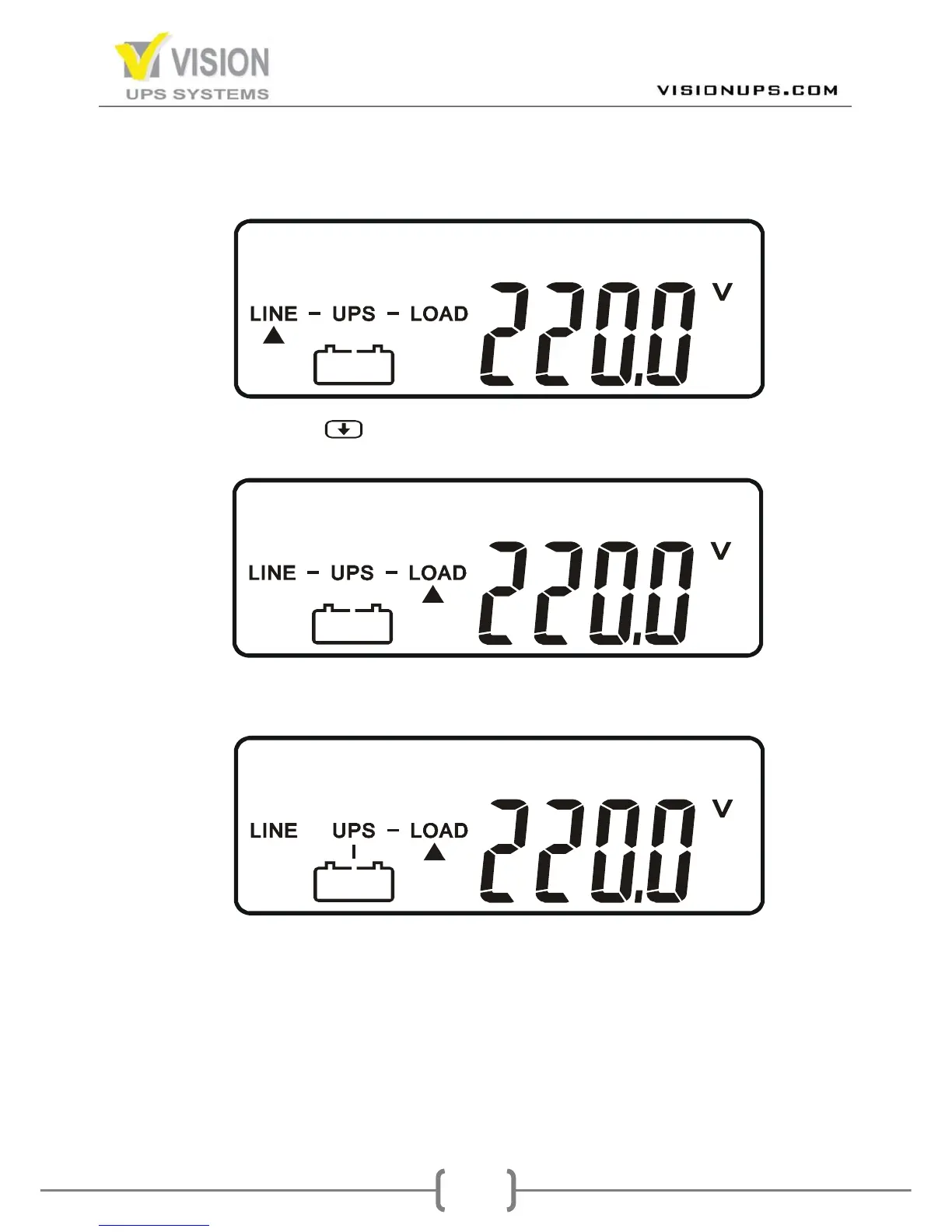
7. Press the Inverter Switch of the UPS for approx. 3~5 seconds, then the Amber
LED Lights up and the LCD display changes from drawing B to drawing C.
C
8. Press Scroll down( ) Key, the LCD display shows as drawing D, it means
the inverter works normally.
D
9. Switch off the Input Breaker of the UPS and check whether the UPS works
normally under Utility fails. The LCD display shall show as Drawing E.
E
10. Switch on the Input Breaker of the UPS, the UPS will switch back to Utility
mode. The LCD display shall show as drawing C.
11. Leave the UPS in charging mode for at least 8-10 hours in order to charge the
batteries to 90% capacity.
12. Your installation is completed.


 To Next Page