2.5. Communication Port Explanation
Communication port on the UPS provides true RS232 type to communicate
with UPS software to remote monitoring the power and UPS status. The UPS
software also can save files and shut down the computer automatically during
unattended power failure.
The bundled software of the UPS is compatible with many operating system
such as Windows 3.1, 95, 98, & 2000, ME, NT, XP, Novell NetWare, Linux and
Free BSD. For other applications like Unix system or IBM AS/400, please contact
your local distributor for a proper solution.
2.5.1. True RS232 type
2.5.1.1. The RS232 interface settings
The RS232 interface shall be set as follows:
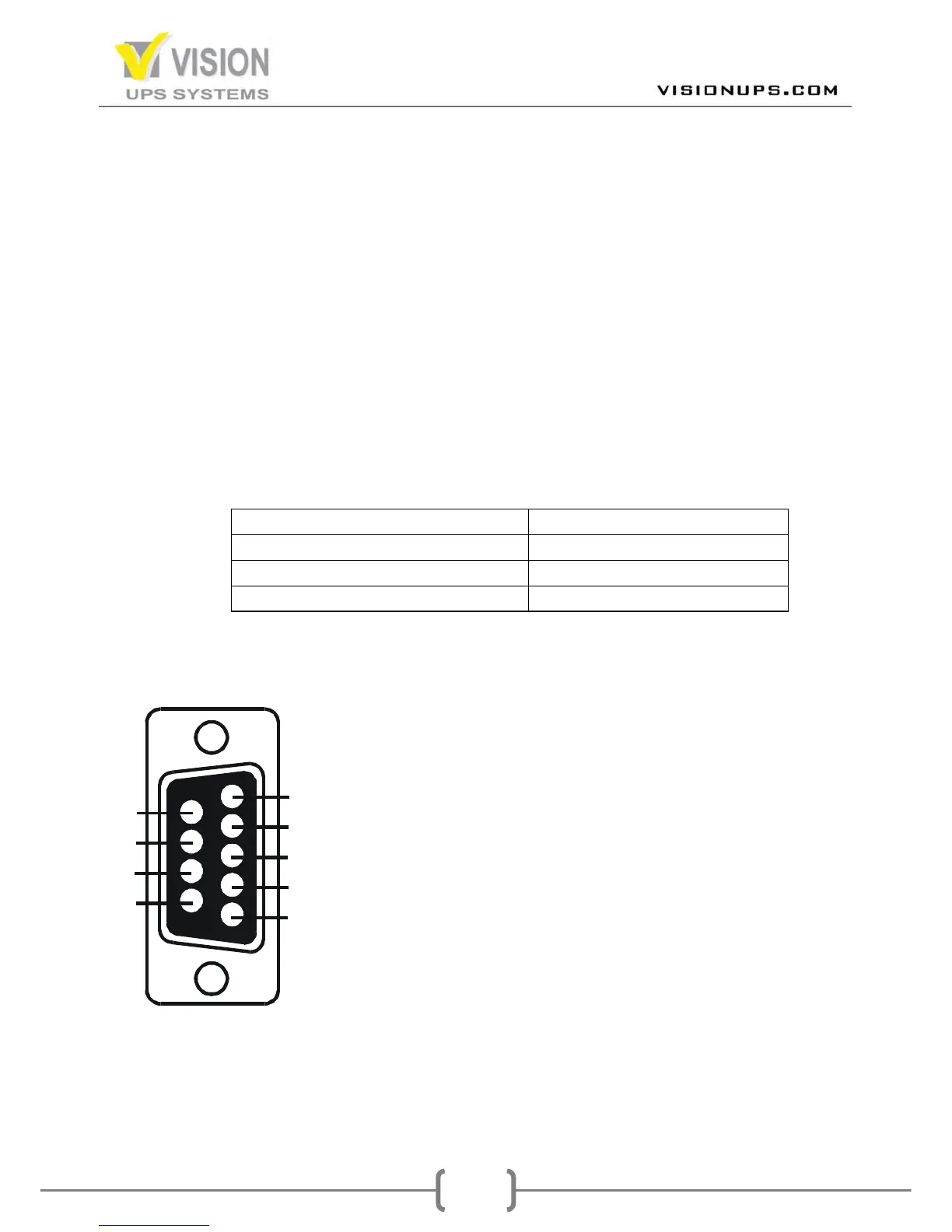
2.5.1.2. The Pin Assignments of true RS232 type
The Pin Assignments of true RS232 type are illustrated as follows:


 To Next Page