10
SP-1800PBT_manual_en.doc
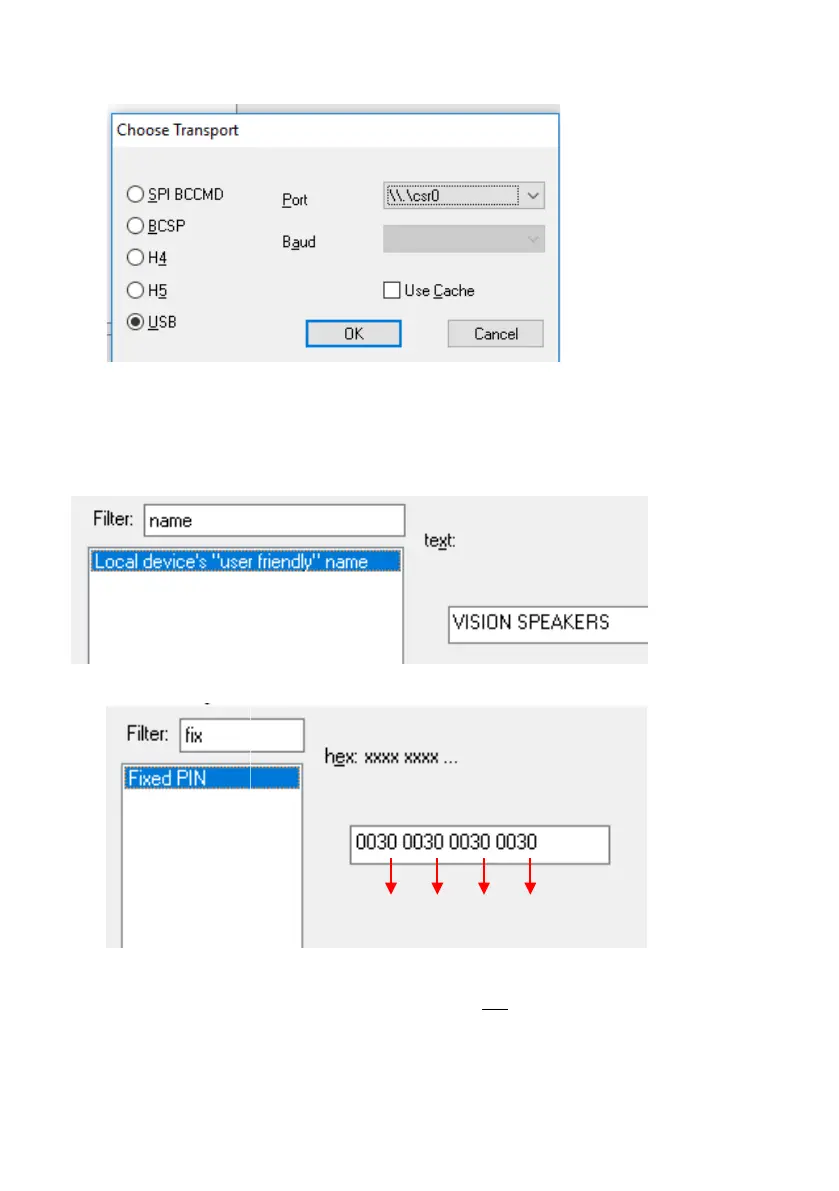
5. RUN PSTool APPLICATION. Select USB\csr0 port as below
NOTE: if port is not showing load drivers manually from
C:\Program Files (x86)\CSR\BlueSuite 2.6.4\drivers
6. TYPE “NAME” IN FILTER Adjust then select Set
7. TYPE “FIX” IN FILTER The current PIN in this example is shown below:
Adjust PIN (last digit of each group), then press Set and Reset BC.

 To Next Page
 Loading...