Visioneer
®
Rabbit™ PC30dwn Copying
60 User Guide
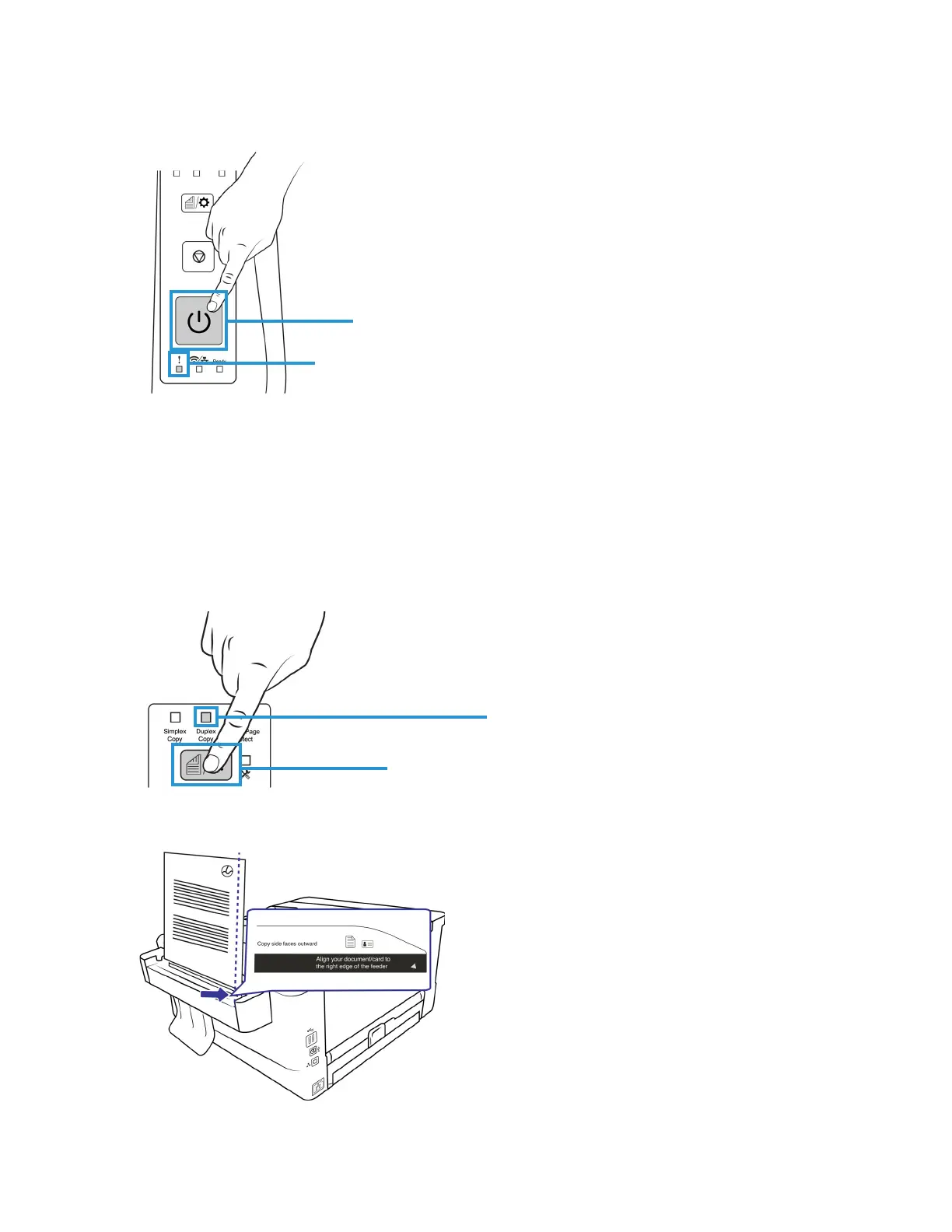
4. Press on the Power Button within 5 seconds after the printing is complete. The Status Light should
still be flashing.
5. Another copy of your document will begin. Repeat the previous step for more copies of the same
document.
Note: If the Status Light is no longer flashing, you will need to restart the copying process.
DUPLEX COPY
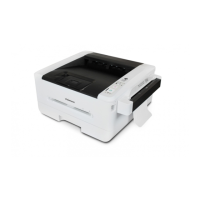
1. Press the Mode button until the Duplex Light is lit as indicated.
2. Load your document with the front side facing outward and align the paper to the right edge of the
feeder.


 To Next Page