Visioneer
®
Rabbit™ PC30dwn Maintenance
80 User Guide
WARNING: The roller cleaning paper is moistened with isopropyl rubbing alcohol. Please read
and follow these precautions to ensure your safety.
Cleaning the Copier
Cleaning the Copier Roller
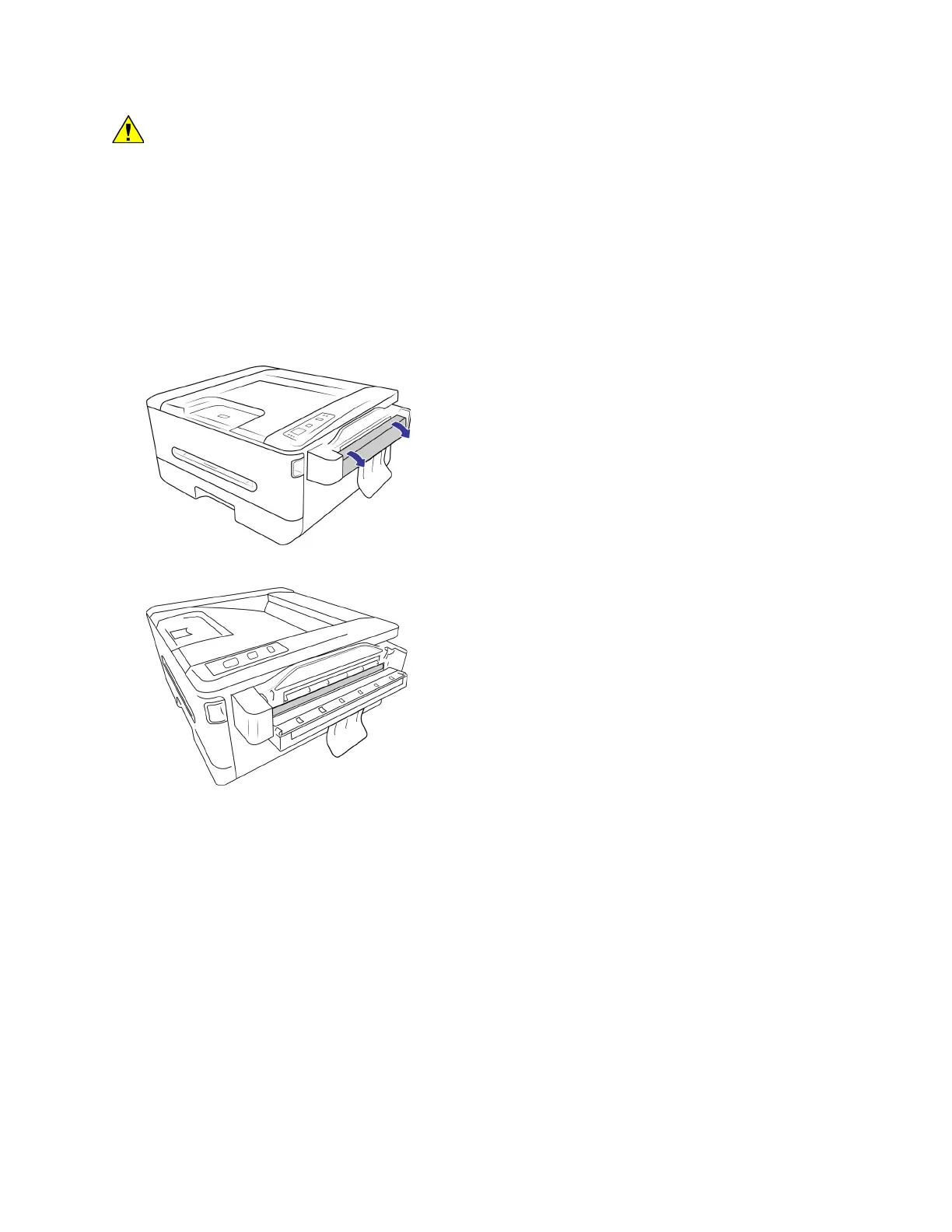
1. Place your thumbs on either side of the paper feed slot, firmly and pull the scanner lid down to
release it from the body of the scanner.
2. Use a wet soft cloth with isopropyl rubbing alcohol (70%) to clean the roller.
3. Hold the Mode Button and Cancel Button at the same time. Each time you press the combination of
buttons, the rollers will rotate slightly, allowing you to clean the rollers efficiently.
4. Close the copier door.
Note: Be careful when cleaning the roller. Do NOT force the roller to rotate in the opposite direction. Forcing
the roller to rotate will damage it, and cause the device to feed pages incorrectly.


 To Next Page