Visioneer
®
Rabbit™ PC30dwn Maintenance
86 User Guide
Cleaning the Sensor Board
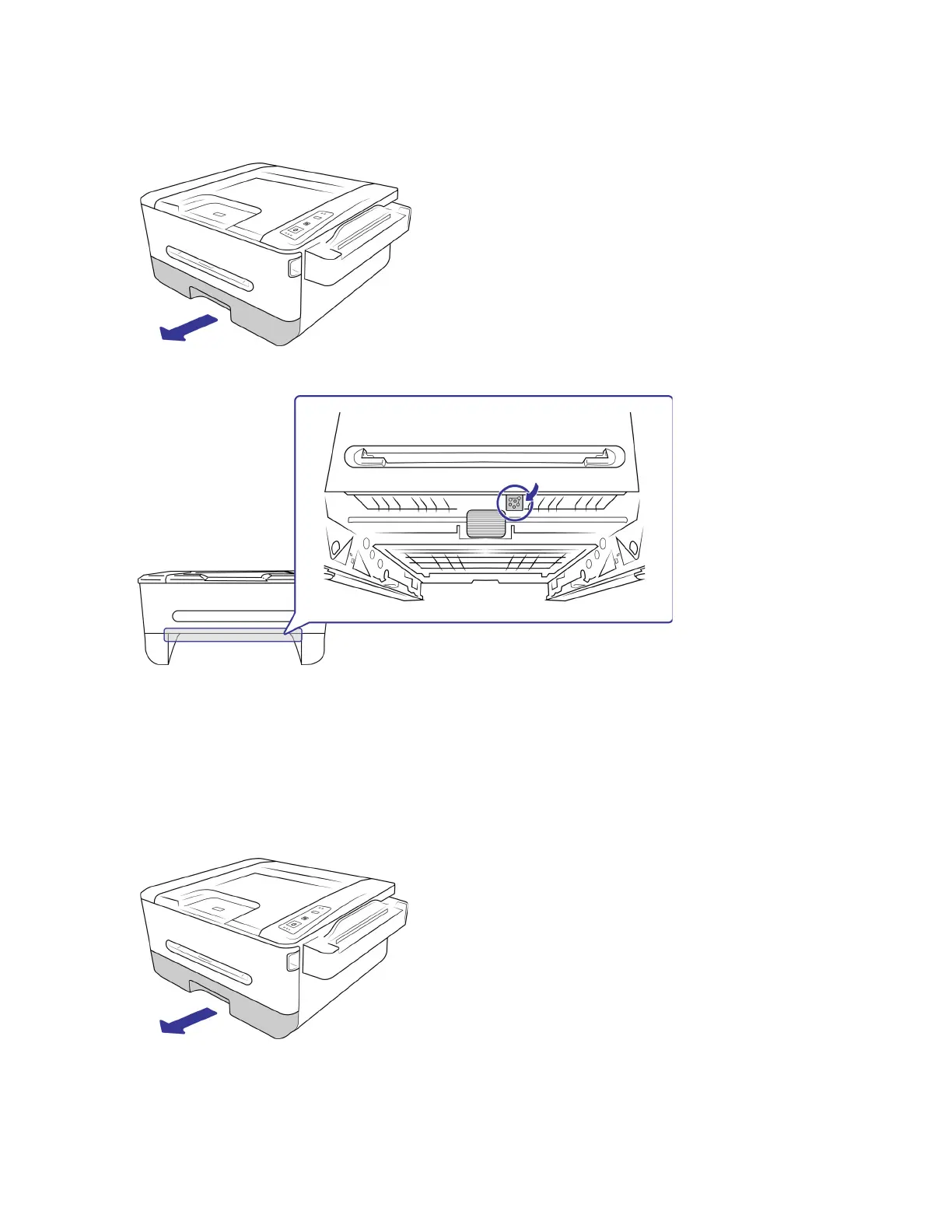
1. Remove the paper tray.
2. Use a soft cloth to wipe the area near the sensors and wipe the back of the sensor board.
3. Return the paper tray into the device.
Cleaning the Pad in the Paper Tray Cassette
If the pad in the paper tray is smeared with paper residue or dirt, paper may not feed smoothly or noise
may occur during paper feeding. You should clean the pad every or every 30K copies.
1. Remove the paper tray.


 To Next Page