15
DEVICESETTINGS
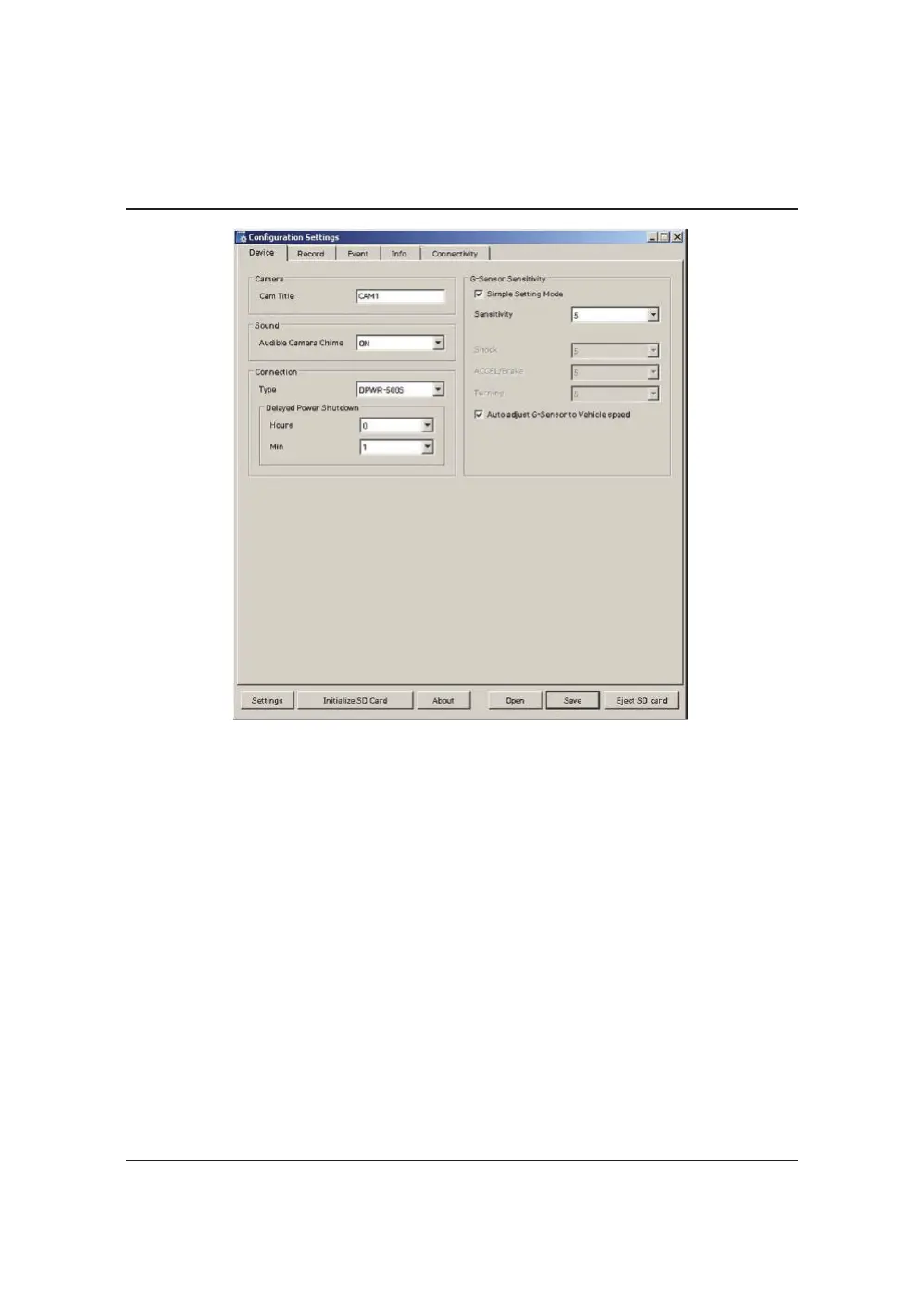
CamTitle
Usethealphabetandnumberstorename(max10digits)thecameras.Thenew
nameswillbedisplayedonthelivescreenandallrecordings.
AudibleCameraChime:TurntheChimeonoroff
ConnectionType:Setthepowersupplytype
DelayedPowerShutdown: Setdelayedpowershutdowntime.
G‐SensorSensitivity:Theshocksensorsensitivitycanbesetto‘Simplesetting
Mode’or‘Custom’.Settoeasyallowsyoutosetthesensitivityto9(High),5
(Medium)or1(Low).
Incustomset,youcanset3differentshocksensorvaluesindividually.
AutoadjustG‐SensortoVehiclespeed
Onceitchecked,VT2000willautomaticallydecreasetheG‐Sensorsensitivityat
highervehiclespeedstocompensateforthenaturallyaddedG‐forcesthatare
experiencedduetovelocity.


 To Next Page