24
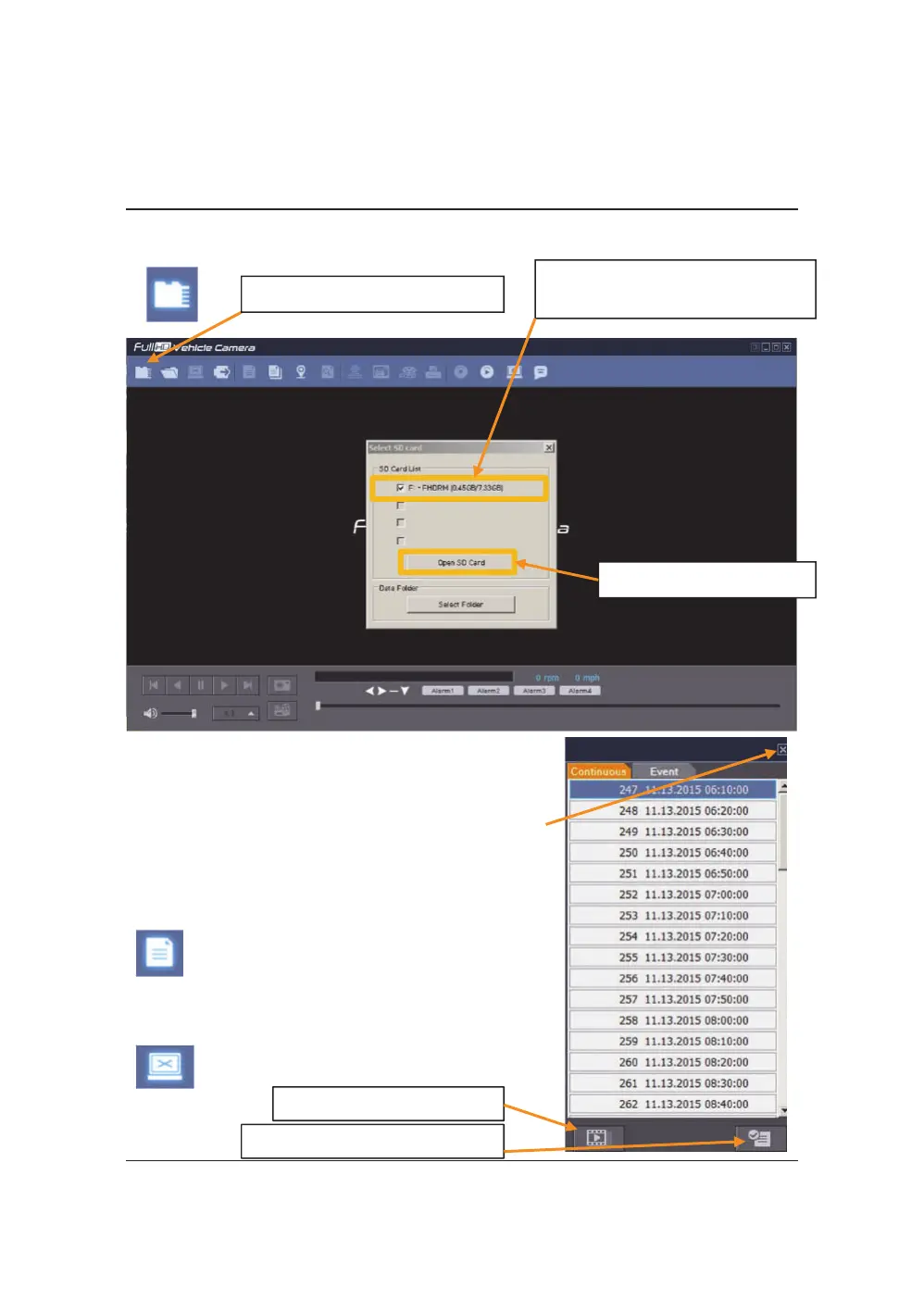
OPENTHESDCARD
① Click “SelectSDCard”icon
② SelecttheSDcarddriveand
click“OK”
InserttheSDcardintoyourPC
Theplaybackfilelistand“Continuous”and“Event”
tapisdisplayedontherightsideofthescreen.
Youcanhidetheplaybacklistbyclickingtheclose
icon.
Theplaybacklistcanbedisplayedonthescreen
againbyclickingthe“FileList”icon.
③ Click“Open SDCard”
“SelectSDCard”icon
Youcanendthevideoplaybackbyclickingthe
“Closefiles”icon.
“Closefiles”icon
ContinuousPlaynextfile.
Checkeventsfromplaybackfile.


 To Next Page