23
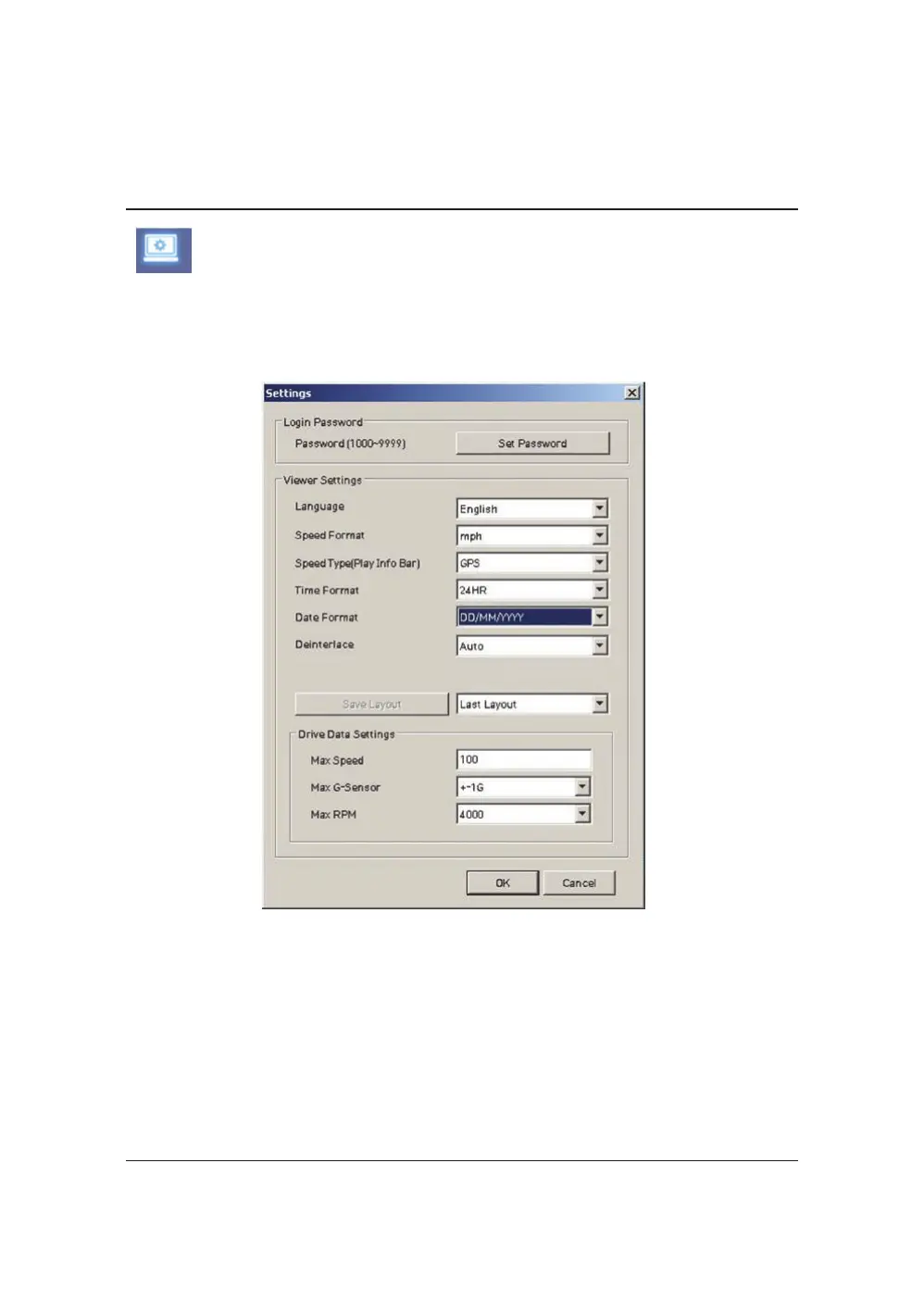
Clickthe‘Password’button.PasswordforthePCViewerSoftwarecanbeset
withanynumberbetween1000‐9999.
The‘speed’&‘date’formatswillbesetautomaticallyaccordingtothePC
Windowssetting.Howeveritcanbechangedwiththissoftwaresettingmenu.
LastLayout:Theprogramwilllaunchwiththesamelayoutasitwaswhenit
wasclosed.
DefaultLayout:TheprogramwilllaunchwiththeDefaultLayout
DriveDataSettings
ThegraphscalesfortheDriveDataWindowwillbemodifiedaccordingtothe
Settings.
PCVIEWERSOFTWARESETTINGS
ThissettingisforthePCViewerSoftwareitself.TosettheRecorder,referto
page15.
Viewingsettings


 To Next Page