30
PRIVACYSETTINGS
“PrivacySettings”icon
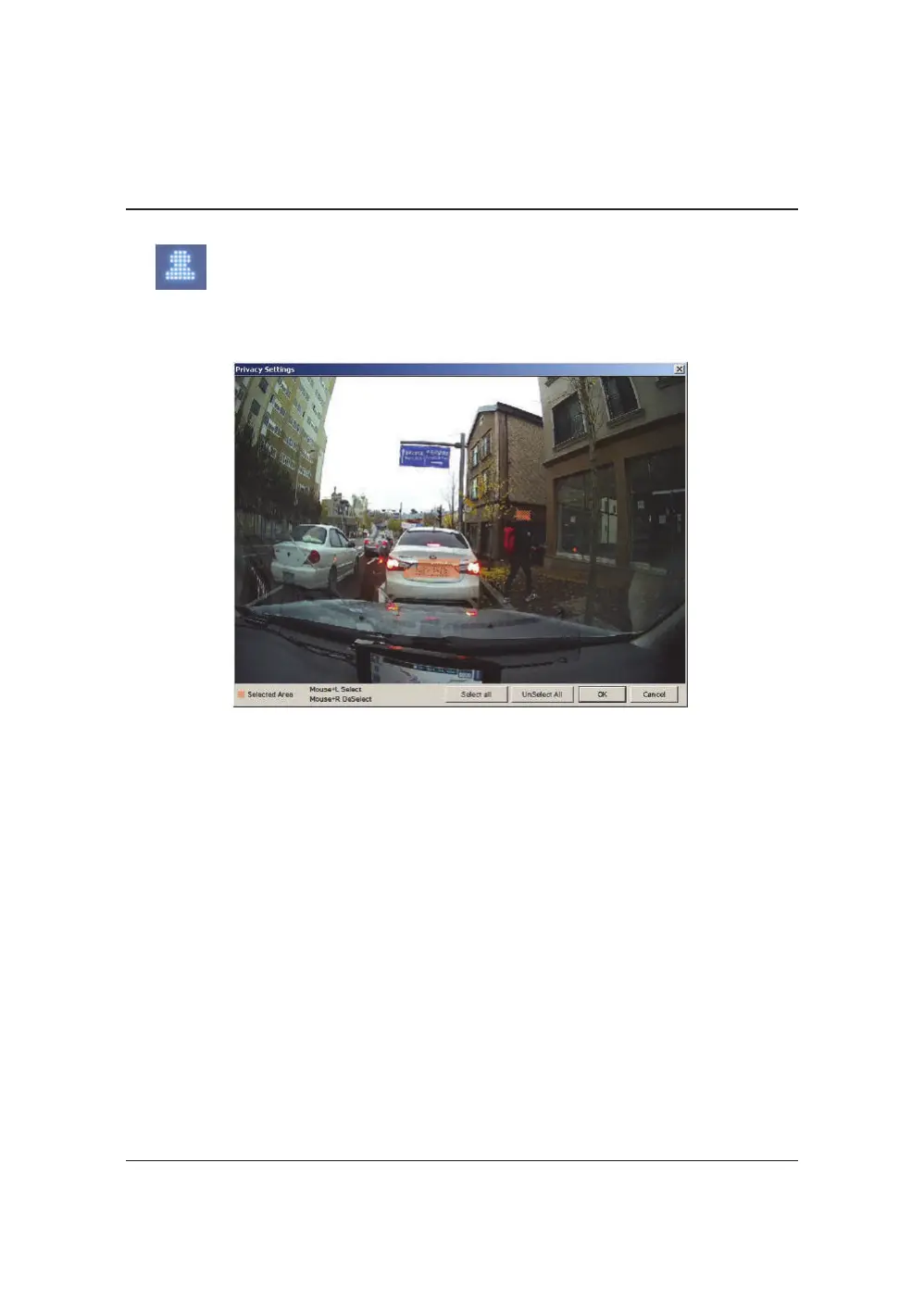
Setthemosaicareaonthevideoforprivacyprotection.
WhenbackingupthedataasaJPGorAVIformatandplayinginthe
Viewersoftware,youareabletomakeamosaicprocessingonthearea
youhaveset.
Todothis,putthepausethevideoandclickthe‘Privacysettings’
button.Theprivacysettingscreenwillpopup.
Blurouttheareayouwishtoprotectbyleft‐clickingonthesections.
Youcanselectmultipleareas.
Youcanalsounselect,selectedareasbyright‐clickingtheblurred
areas.
Toselectallorclearall,clickonthe‘Selectall’or‘UnSelect All’buttons
onthebottom,respectively.


 To Next Page