VitaScan LT
User and Service Manual
VitaScan LT Applicaon Soware Installaon
Before use on patient:
Read the User Manual which is on the USB Memory stick, and follow user instructions for
the scan-procedure.
System Requirements :
• Windows 10 Operating System, 32 or 64 bit.
• The minimum recommended system conguration is 1GB RAM & 1.3 GHz processor
speed.
• VitaScan USB Probe (Firmware version 4.04 or higher)
• Tablet/Computer type: Lamina T-1022.
• USB 2.0 port to source 500mA @ 5V
• Medical Isolation Device – e.g. Tripp Lite IS150HG (N/A) or Noratel IMEDe 150 (Int’l)
Note:
Installing VitaScan LT Application Software on Windows 10 Operating System requires the
operator is logged in as “Administrator”.
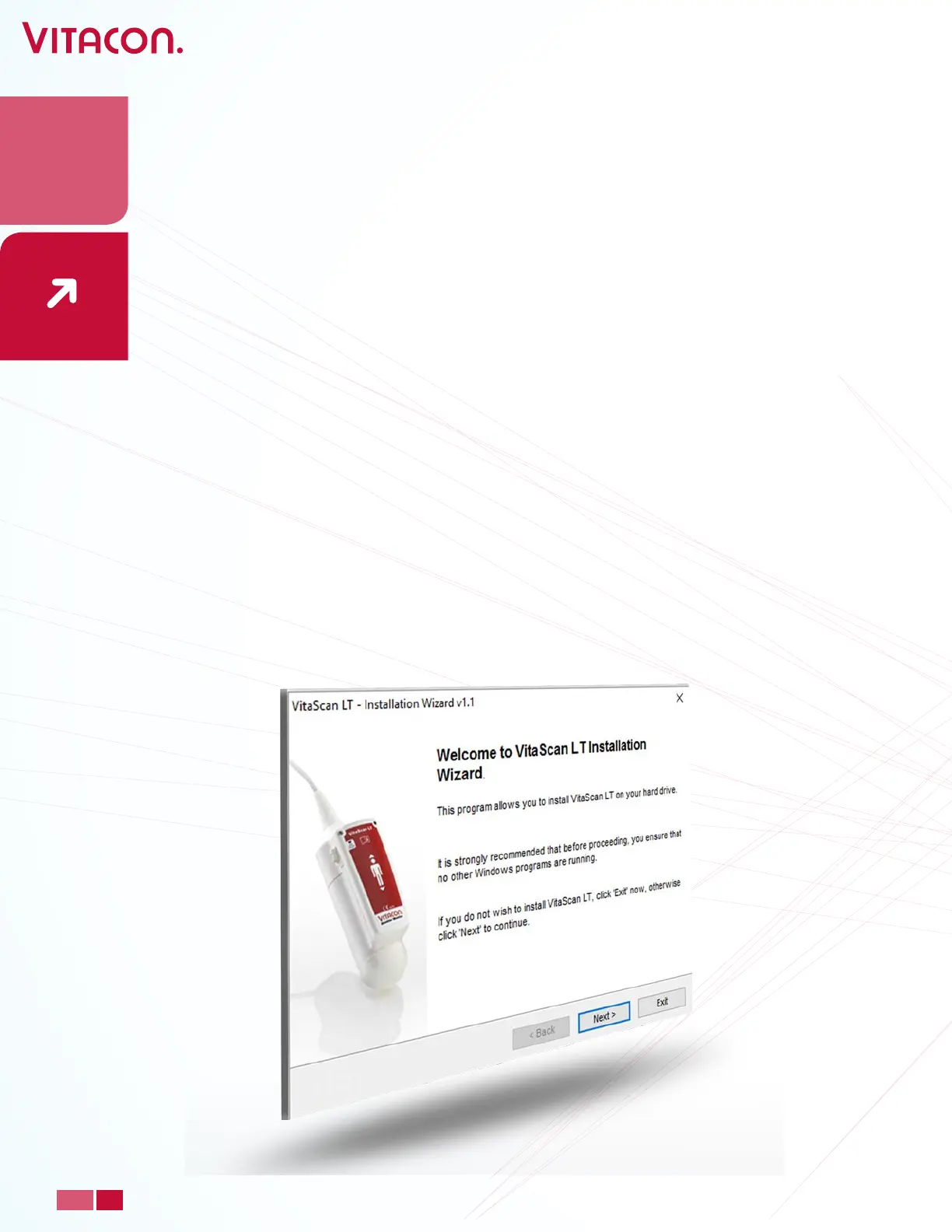
Installaon of the VitaScan LT applicaon
• Open the folder to view the “VitaScan_LT_Installer” les on the USB Memory stick
• Run the VitaScan_LT_Installer.exe le
• Press Next.
13
PAGE
www.vitacon.com


 To Next Page