VitaScan LT
User and Service Manual
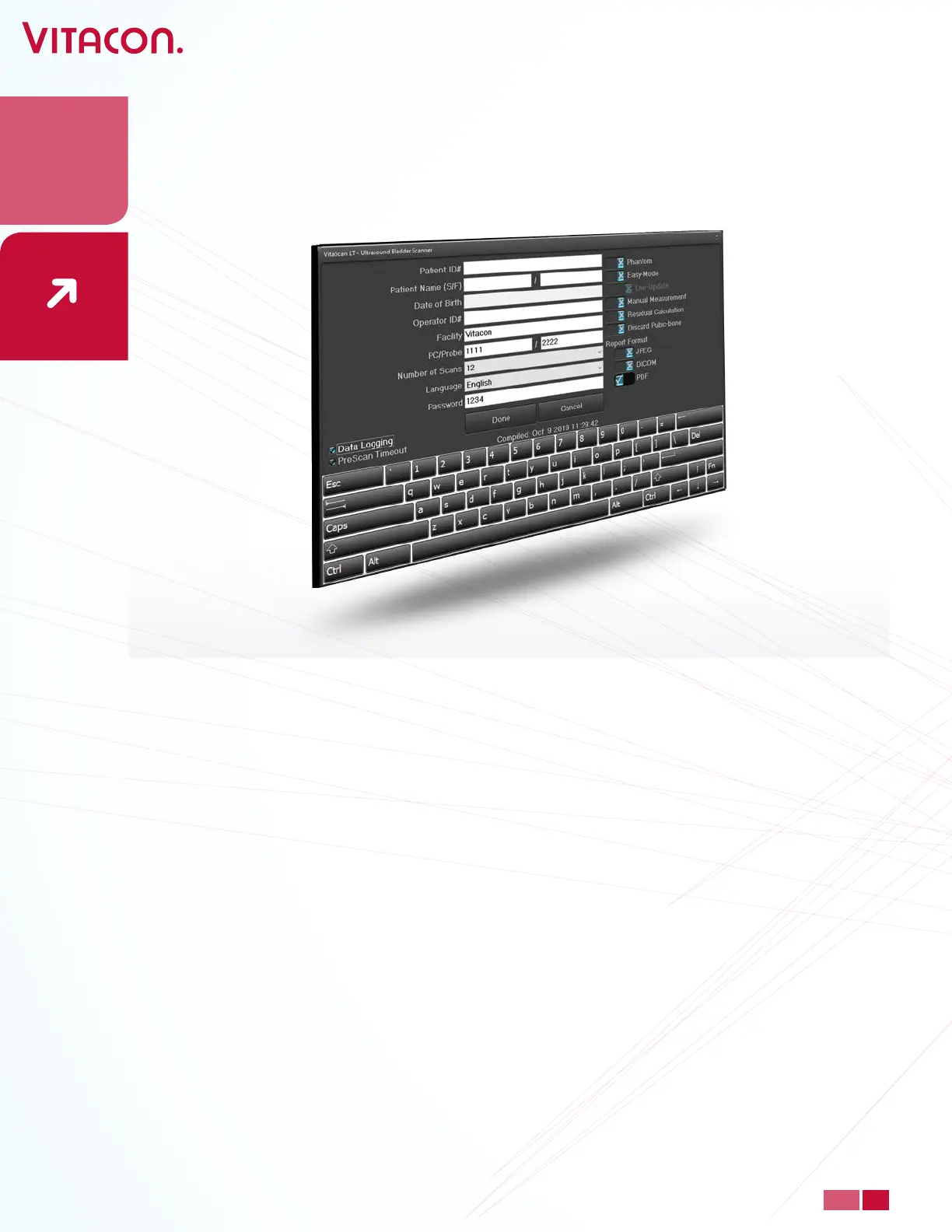
• PreScan Timeout: Disables the 2 min. PreScan timeout
• Data Logging: Enables automatic data logging of measurements. Data is stored with a
timestamp in the folder C:\ Documents\Vitacon\VitaScanLT. This option may be used for
investigation of issues with image data.
How to run VitaScan LT applicaon remote from INI le
Requires version 4.5.4.6 or higher.
Example:
1) Create and store a VitaScanLT.INI le by TXT editor or another program
Content of the VitaScanLT.INI le:
[SETTINGS]
LANGUAGE=English
SERIALNR_PC=Serial number PC/Tablet
SERIALNR_PROBE=Serial number VitaScan LT
HOSPITAL_ID=Hospital name
MANUAL_MEASUREMENT=0
RESIDUAL_CALCULATION=0
DATA_LOGGING=0
SAVE_FORMAT=PDF
SAVE_PATH=C:\Documents\VitaScanLT\Reports
SCAN_COUNT=6
EASY_MODE=0
Other Sengs
• Enter Password 1234 to open other settings.
30
PAGE
www.vitacon.com


 To Next Page