09100 Issue 1
5Page of 36
ENG
ALPHA Touch - Instructions for Use
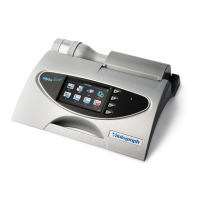
1.1. Features of the Vitalograph ALPHA Touch
• Fleisch type pneumotachograph to measure ow
• Ambient temperature sensor
• Touch screen colour display
• Choice of child incentive displays
• Customisable report format
• 10,000 subject test memory
• Diagnostic interpretation options
• Integral printer
• Vitalograph® Reports PC software (included)
• Compatible with Spirotrac software (purchased separately)
2. Setting Up the Vitalograph ALPHA Touch
1. Connect one end of the owhead connection tubing to the Vitalograph
ALPHA™ Touch base. Ensure that the coloured/ribbed tapping on the
owhead is connected to the ribbed side of the tubing in the connector
housing.
2. Connect other end of owhead tubing to the owhead.
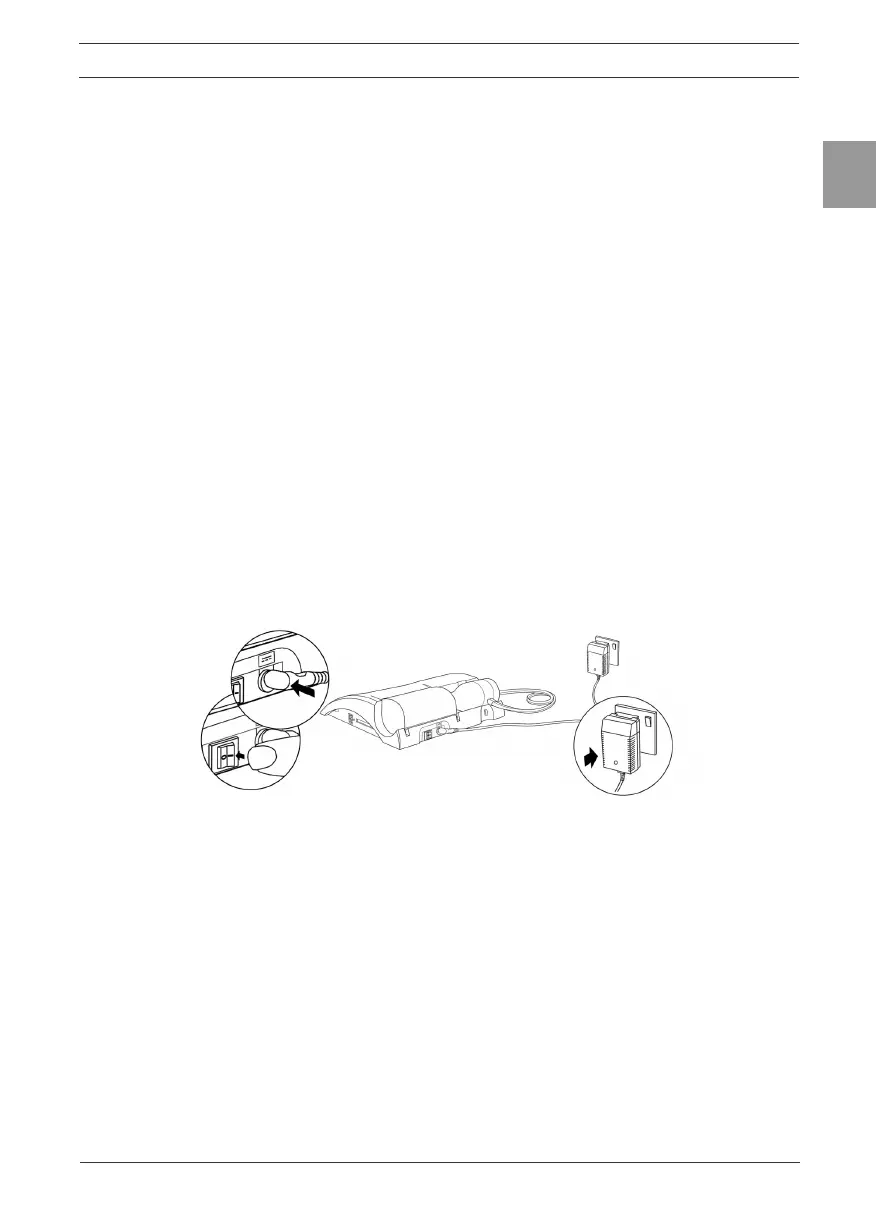
3. Connect the power supply into the rear of the ALPHA Touch. Plug the mains
plug into a suitable socket. Switch the ALPHA Touch on (switch at rear) and
it is ready for use.
Figure 2: Connecting the power supply and switching on the ALPHA Touch
4. The ALPHA Touch comes tted with a rechargeable battery pack, which
allows the device to be used as a portable device without the mains
connected.
5. The ALPHA Touch can print reports directly to its integral printer or
send data to a computer for reporting via Vitalograph Reports software
(supplied). See section 3.6. Conguration Options for instruction on setting
print options.
Note: Only use the ALPHA with the purpose-built low voltage power supply unit
with which it is supplied. Attempted use with other power sources may cause
irreparable damage and invalidate the warranty.
6. If required, install the Vitalograph Reports software provided with the
ALPHA Touch to the computer following the instructions supplied with the


 To Next Page