MGW Ace Decoder HEVC Decoding Appliance
User Manual, Version 1.0 22
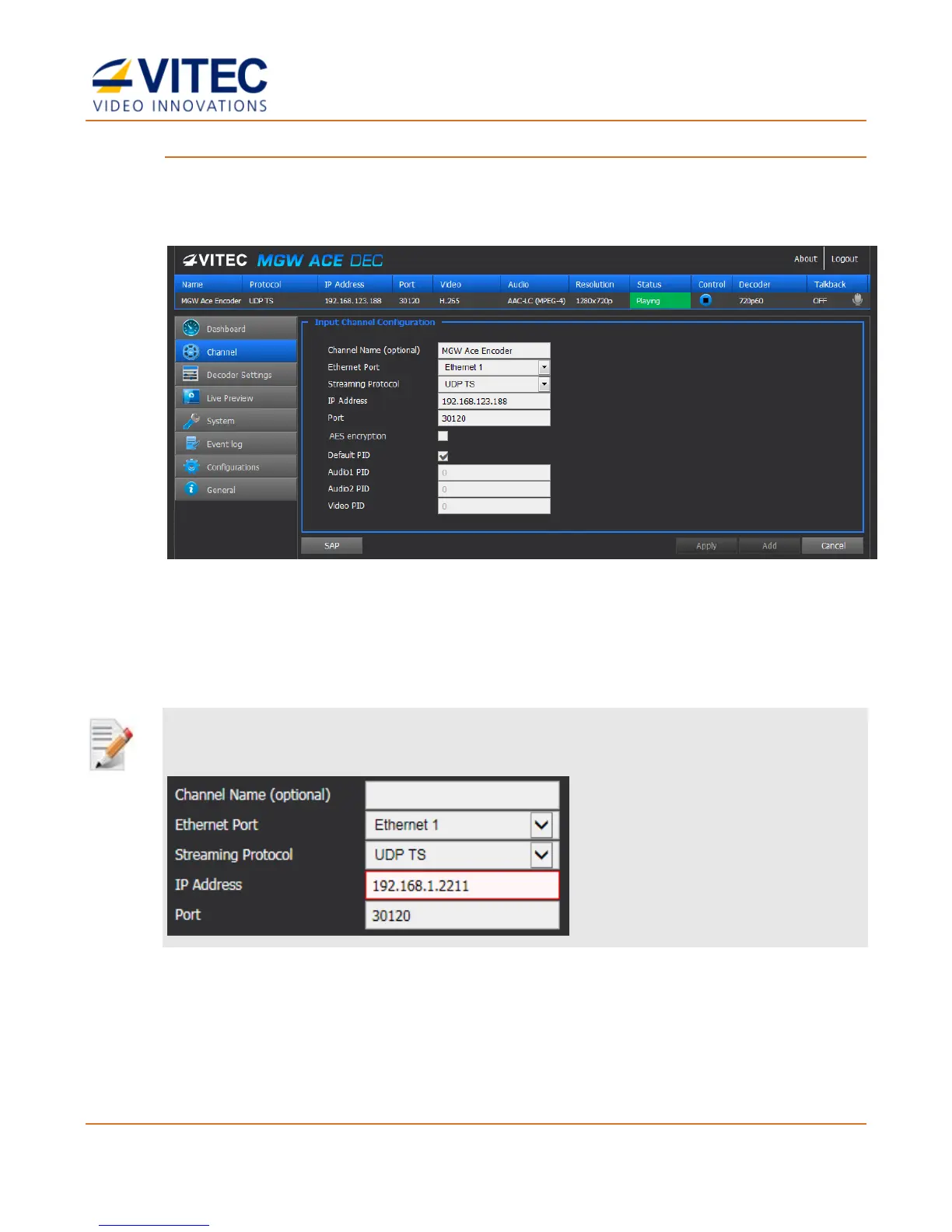
To set the channel parameters:
1. From the main menu, select Add a Channel.
2. The Input Channel Configuration page appears.
Figure 4-4: The Input Channel Configuration page
3. Set the following channel parameters as required in each section and click Add.
4. Refer to the Input Channel Configuration description in the next section for more
information.
NOTE:
A red frame appears when the entered value is not valid.
5. A new channel is added to the Network Channel List.
6. Select the channel line to be decoded within the list and click Select Channel.



 To Next Page