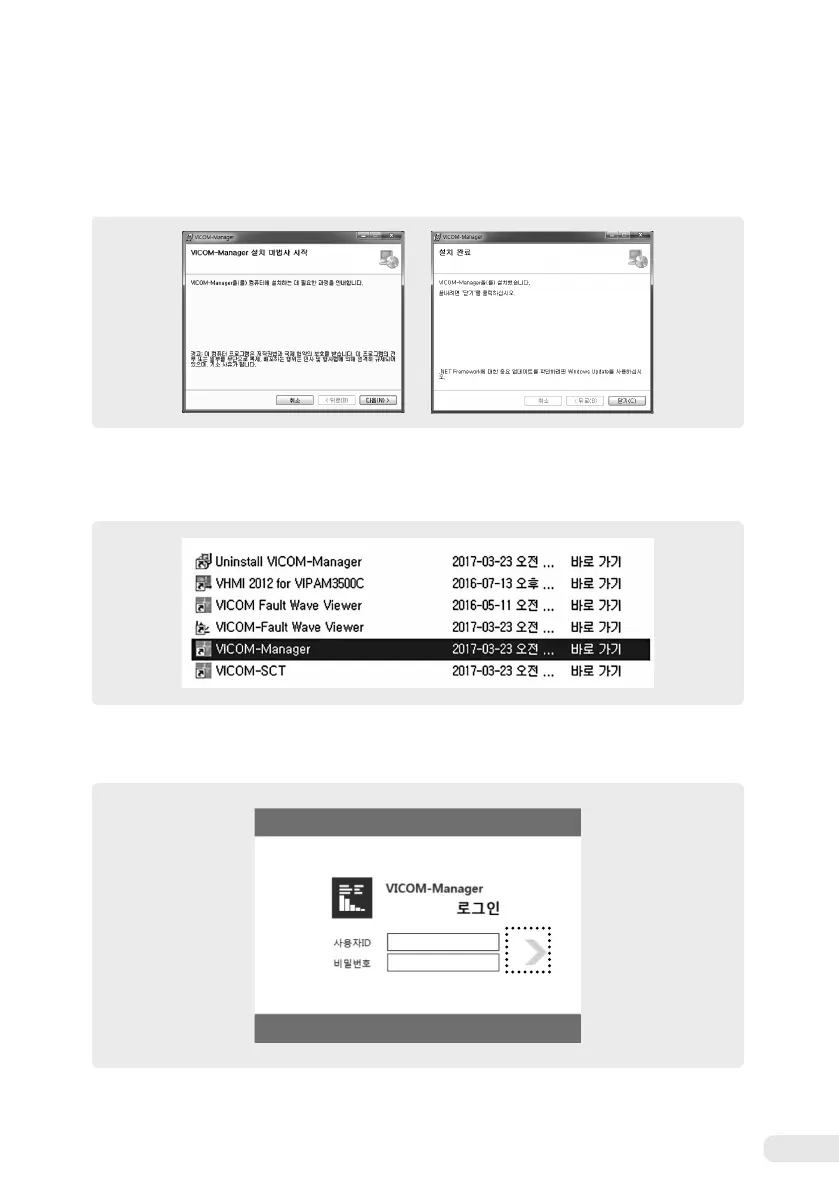
2) Installing VICOM-Manager
Run the VICOM-Manager installation file to install software at the desired folder.
3) Running VICOM-Manager
Run the VICOM-Manager icon on the desktop or in the software installation folder.
①
Logging into VICOM Manager
Input the user ID and password and then, press the Proceed button.
※
For more information on installation, please refer to the VICOM-Manager user manual.
※
The user ID and password are provided to the engineer only. For more information, please contact the manufacturer.
Proceed button


 To Next Page