②
Selecting a VITAC 200 project
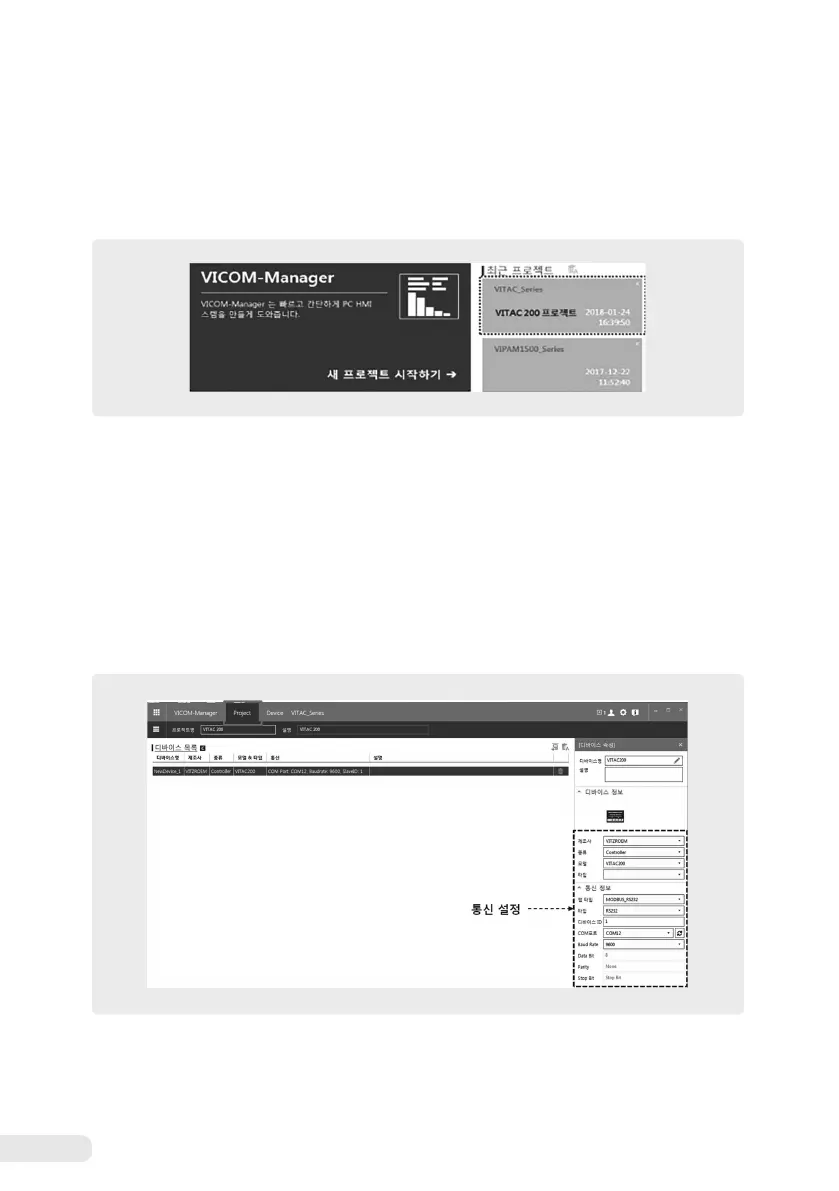
Select “VITAC_Series” from the recent project. If you cannot find “VITAC_Series” in the recent project,
click “Create a new project”.
※
For more information on new project creation, please refer to the VICOM-Manager user manual.
③
Setting communication
Select the “Project” tab for communication setting. Set the “communication information” on the
right side of the screen as follows.
- Map type :
MODBUS_RS232
- Type :
RS232
- Device ID :
1
- COM port :
Apply the Com port value set in the PC. (Check in Device Manager of the PC)
- Baud rate :
9600


 To Next Page