VIVAX ENG
20
REMOTE CONTROLLER
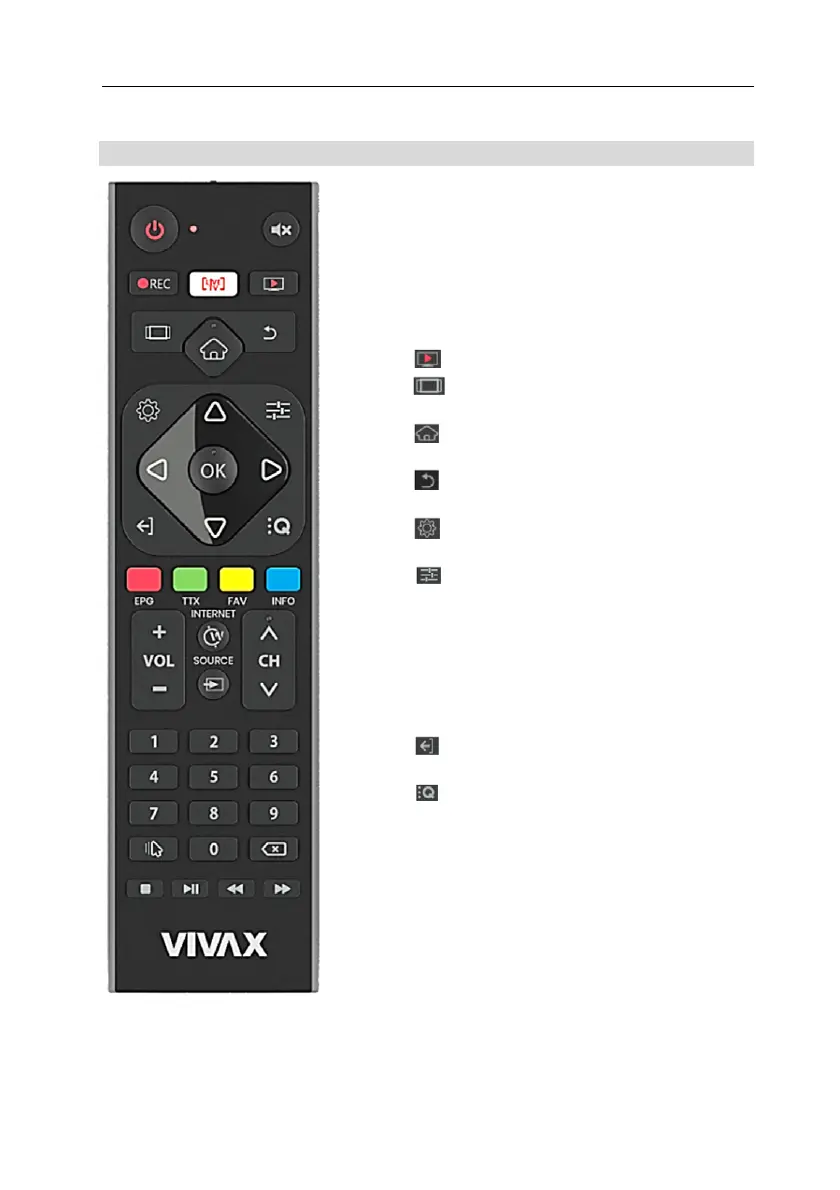
1. POWER button: press for turning the TV
On / Off
2. MUTE button with crossed-speakers:
press the button to restore volume
3. REC
button: Start Recording DVB
channel.
4. LIVE TV button: Opens the TV application
5. button (PVR): Play recorded media
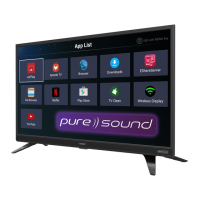
6. TABS button: Displays the available
Apps
7. HOME button: Opens the Smart TV
page
8. m BACK button: Back to previous
Channel
9. SETTINGS button:Opens the Settings
menu
10. MENU button:Opens TV menu
11. OK button: Opens the Channel list,
Menu mode: To confrm the entry on
display when highlighted or bold
12. ◄►▲▼ buttons: Highlights different
items in the menu system and adjusts the
menu controls.
13.
EXIT button: Exit from the application
and Menu
14.
QUICK Menu button: Opens the DTV
Settings menu
15. EPG/RED button: To display the
electronic program guide in DVB mode
TXT mode: In corresponding mode, press
it to enter the right function as hint.
16. TTX/GREEN button: Show teletext on the
screen
TXT mode: In corresponding mode, press
it to enter the right function as hint
17. FAV/YELLOW button: Automatic switch
to your favorite program list
TXT mode: In corresponding mode, press
it to enter the right function as hint


 To Next Page
 Loading...