12 Home Security Protection
1. Closeallprotecteddoorsandwindowsbeforearming.
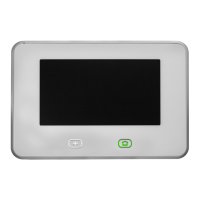
2. VerifythattheHomebuttononthepanelislitgreen,indicatingthatthesystemisreadyto
arm.TheSecuritybuttonandtheArmbuttononthedisplaywillalsobegreenwhenallof
theperimetersensorsareclosed.Iftheinteriorsensoropeniconisdisplayedonthestatus
bar,besuretocloseormanuallybypasstheinteriorsensorsoranalarmwilloccur.
NOTE:Ifyouwanttoarmthesystemquietlywithoutsoundinganychimesortouchscreen
feedback,presstheMutebuttonbeforeperformingthenextsteps.
3. AttheHomescreen,presstheSecuritybutton.Ifthereareanyopenperimeterdooror
windowsensors,theBypasspop-upwindowappears.Closeallthesensorsdisplayedor
pressBypass All tohavethesystembypassthedisplayedsensors.(NOTE:Bypassed
sensorsdonottriggeranalarm.Tobypasssensors,enteravalidUserPIN,unlessyour
technicianhasconfiguredthesystemforQuick Bypass.)
4. PressArm Leavetoarmthesystem.(NOTE:Toarmthesystem,youmayneedtoenter
aUserPINifyourtechnicianhasturnedoffthesystem’sQuickArmingfeature.)
5. ThesystemwillarmandshowstheExitDelaycountingdown.
6. WhentheExitDelayexpires,thesystemisfullyarmed.(NOTE:Whenthesystemisarmed
intheLeaveMode,beepssoundduringtheExitDelay,withfasterbeepsduringthelast10
secondslettingyouknowthattimeisrunningoutforyoutoexityourhome.)


 To Next Page