Fire and Emergency Protection 15
Fire and Emergency Protection
Emergency Functions
24-Hour Emergency Buttons
Three24‐houremergencyfunctionsareavailableonthepanel:
l Panic
l Fire
l Emergency
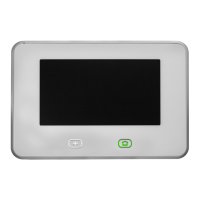
TheEmergencybuttononthefrontofthepaneldisplaystheemergencyscreen.Justpressingthe
buttondoesnottriggeranalarm.Duringtheinstallation,yourVivintFieldServiceProfessionalpro-
grammedtheemergencybuttonsthataredisplayedontheEmergencyscreen.If,however,no
emergencyfunctionsareavailable,aninformationscreenwilldisplaywhenyoupresstheemer-
gencybuttons.Toseewhichemergencyfunctionsareavailableonyoursystem,pressthebutton.
Intheeventofanemergency,pressandholdthePanic,Fire,orEmergencybuttononthescreen
foratleast2 secondstoactivatethealarm.
Panic
ThePanic(orpolice)buttonsendsanimmediatepanicreporttotheCentralStation.Duringinstall-
ation,theVivintTechnicianeithersetthesystemtosoundthesirenwhenthePanicbuttonis
pressedortotriggerasilentalarmthatdoesnotsoundthesiren,butstillnotifiestheCentralSta-
tion.
Fire
TheFirebuttonsendsanimmediatefirereporttotheCentralStation.Thepanelsoundsthefire
alarmwhenthisbuttonispressed.


 To Next Page